
X (formerly Twitter) Integration
In this article
In this article group
- Amazon Connect
- Apple App Store
- Census Integration
- Connect Plain to Enterpret
- Decagon Integration
- Discord
- Discourse Integration
- Email Integration
- Facebook Pages Integration
- Fathom Integration
- File Upload: CSV data on Enterpret
- Freshchat
- Freshdesk
- Front
- G2
- Gainsight Communities Integration
- GitHub Issues Integration
- Gong Integration
- Google My Business Integration
- Google Play Store
- Grain
- Granola Integration
- Import HubSpot feedback
- Instagram Comments Integration
- Intercom
- Kustomer
- Livechat Integration
- Momentive (Formerly Survey Monkey)
- Pylon integration
- Qualtrics
- Refiner Integration
- Salesforce
- SFTP Integration
- Slack feedback ingestion: setup and troubleshooting
- Snowflake
- Sprig Integration
- Stella Connect
- TikTok Integration
- Trustpilot Integration
- Typeform
- Connect YouTube videos and comments
- Zendesk Chat
- Zendesk Support
- Import Zoho Desk support tickets
- Zoom Integration
- Zapier Integration
- Reddit Search (UGC)
- Wispr Flow integration
Bring public X posts about your accounts, brand, or products into Enterpret as feedback. Collect posts that tag your X handles, posts containing your search terms, or both.
What this integration collects
Posts tagging your accounts: Public posts that @mention the X handles you add.
Posts about you: Public posts matching your words, hashtags, or exact phrases, even when they do not tag an account.
A post only needs to match one configured handle or term. Reposts are excluded. Collection runs periodically, so new posts may take time to appear. Availability depends on X search results and the collection limits for your integration.
Before you begin
You need an Enterpret account with permission to manage integrations. Choose the X handles and search terms you want to monitor. You do not need to sign in to X during setup.
Choose specific terms to reduce unrelated results. A distinctive product name, for example, is usually more useful than a common word.
Connect X
In Enterpret, open Integrations and select New Integration.
Search for X and open its setup form. Choose Feedback Integration if prompted.
Under Posts tagging your accounts, add entries to Your X handles. Enter a handle with or without
@, then press Enter or select Add handle. You can also separate handles with commas.Under Posts about you, add words,
#hashtags, or exact phrases enclosed in double quotes to Keywords and hashtags. Add each as a separate term.Complete the feedback description requested by the form and select Connect. Review the integration and its status in Integrations.
You can use either collection section on its own or combine them. The form accepts up to 50 handles and search terms combined, subject to its displayed query length limit. X handles can contain up to 15 letters, numbers, or underscores. If a term is rejected, use a plain word, a valid hashtag, or a complete phrase in double quotes instead of X search operators.
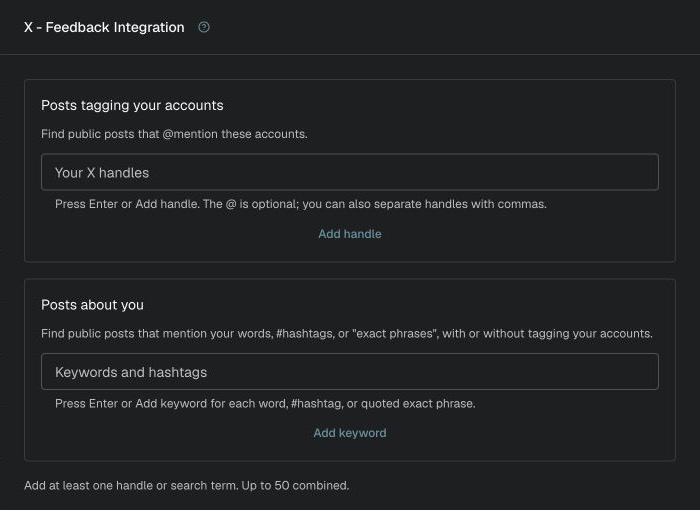
Configure the handles and search terms Enterpret should collect.
What to expect after connecting
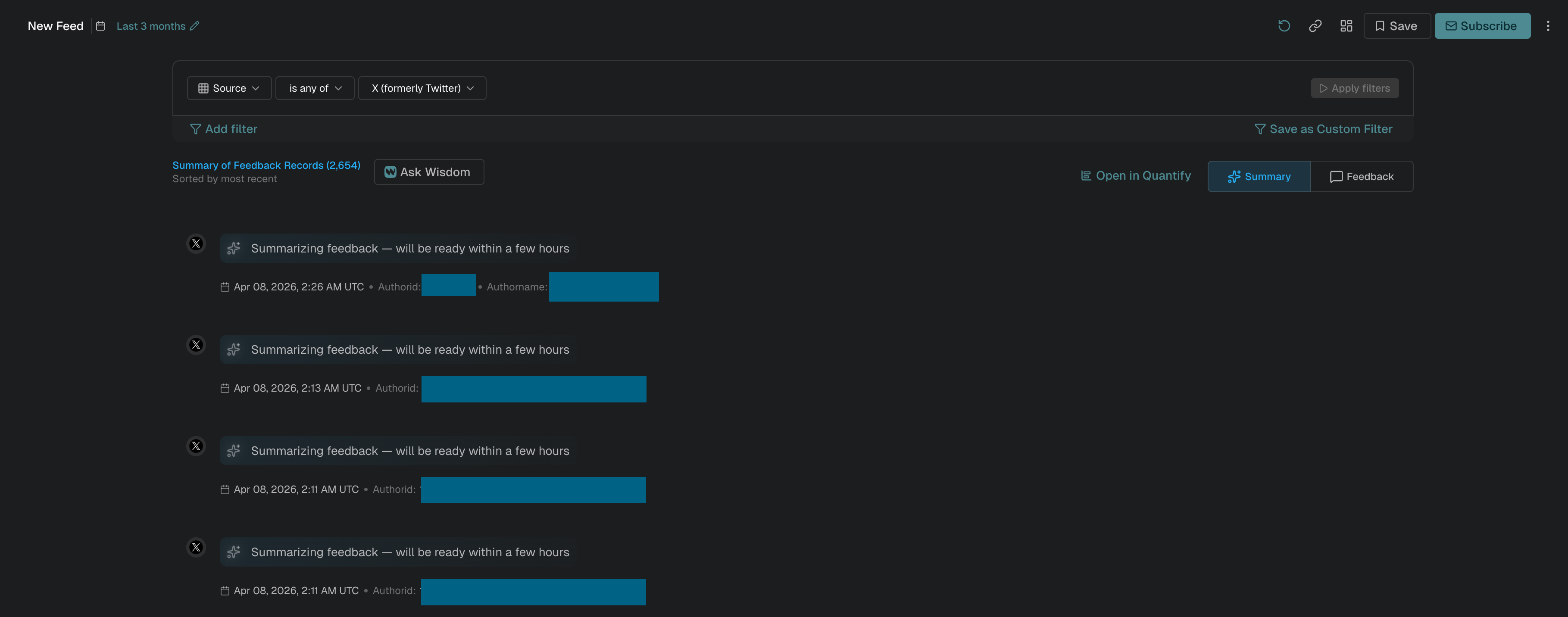
Enterpret searches the scope you configured and imports available matching posts as feedback. The initial historical period and collection volume depend on your integration's configuration. Seven days is not a guaranteed backfill period. High volume, X availability, and configured limits can affect coverage.
Open the integration in Integrations to edit its handles, search terms, or feedback description. Changing the scope affects subsequent collection; it does not automatically remove feedback already imported.

Troubleshooting
I cannot connect the integration
Enter at least one handle or search term. Review validation messages beside the fields, including the combined term and query length limits.
Expected posts are missing
Confirm that the post is public and matches a saved handle or term. Check its date against the historical period arranged for your integration, then allow time for the next collection cycle. Contact Enterpret Support if results remain missing or the integration shows a collection limit or error.
Too many unrelated posts appear
Replace broad words with more specific terms or quoted phrases, and remove handles or hashtags you do not need.
For help reviewing your search scope or collection status, contact support@enterpret.com.
Analyze this feedback with Enterpret Agent
Once this integration's feedback is available in Enterpret, use Enterpret Agent to investigate themes, summarize customer requests, and prepare reports. Specify this source and the reporting period in your request. For daily reports, weekly digests, and recurring reporting, configure scheduled Agent automations with Slack or email delivery.
This guide covers feedback ingestion. Agent connectors are a separate setup for reading external context or taking supported actions in other tools; connecting a feedback source does not automatically authorize those actions.