
TikTok Integration
In this article
In this article group
- Amazon Connect
- Apple App Store
- Census Integration
- Connect Plain to Enterpret
- Decagon Integration
- Discord
- Discourse Integration
- Email Integration
- Facebook Pages Integration
- Fathom Integration
- File Upload: CSV data on Enterpret
- Freshchat
- Freshdesk
- Front
- G2
- Gainsight Communities Integration
- GitHub Issues Integration
- Gong Integration
- Google My Business Integration
- Google Play Store
- Grain
- Granola Integration
- Import HubSpot feedback
- Instagram Comments Integration
- Intercom
- Kustomer
- Livechat Integration
- SurveyMonkey
- Pylon integration
- Qualtrics
- Refiner Integration
- Salesforce
- SFTP Integration
- Slack feedback ingestion: setup and troubleshooting
- Snowflake
- Sprig Integration
- Stella Connect
- Trustpilot Integration
- Typeform
- X (formerly Twitter) Integration
- Connect YouTube videos and comments
- Zendesk Chat
- Zendesk Support
- Import Zoho Desk support tickets
- Zoom Integration
- Zapier Integration
- Reddit Search (UGC)
- Wispr Flow integration
Connect TikTok to Enterpret to analyze public comments and threaded replies from your brand’s videos alongside feedback from your other channels.
Overview
The TikTok integration brings audience reactions, product questions, campaign feedback, launch sentiment, and support issues from your brand’s TikTok videos into Enterpret.
Once connected, Enterpret:
Imports public comments and threaded replies from eligible videos owned by the connected TikTok Business Account.
Backfills comments from public videos published within the last 90 days.
Checks for new videos, comments, and replies every four hours.
Preserves the video caption and parent-comment context so each comment can be understood in the conversation where it appeared.
Adds TikTok metadata that you can use for filtering and analysis.
Each Enterpret integration connects to one TikTok Business Account. To connect another TikTok Business Account, create a separate integration.
Before you begin
Make sure you have:
An Enterpret account with permission to manage integrations.
A TikTok account supported by the Enterpret connection, with permission to authorize access to the owned videos and comments you want to import. Confirm personal-account eligibility with your Enterpret team.
Access to the intended account in the authorization flow. If it is managed through TikTok Business Center, confirm that your authorizing user has the required account access.
Permission to grant the access requested by Enterpret’s TikTok connection. Your TikTok administrator can confirm which account role is required.
At least one public video owned by the account, with comments enabled.
Tip: If TikTok does not appear in the integration picker, contact your Enterpret customer success manager or Enterpret Support. The integration may need to be enabled for your workspace.
Connect TikTok
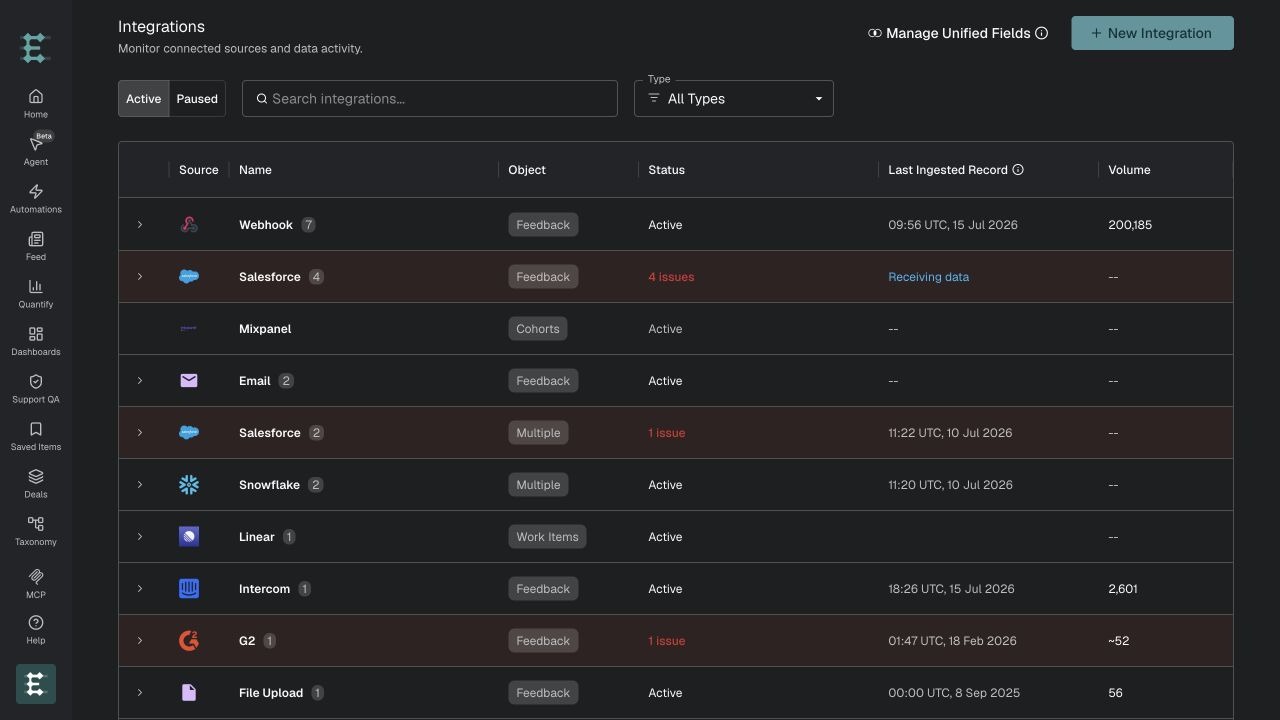
1. Start a new integration
In Enterpret, select Integrations from the left sidebar, then click New Integration.
2. Find TikTok
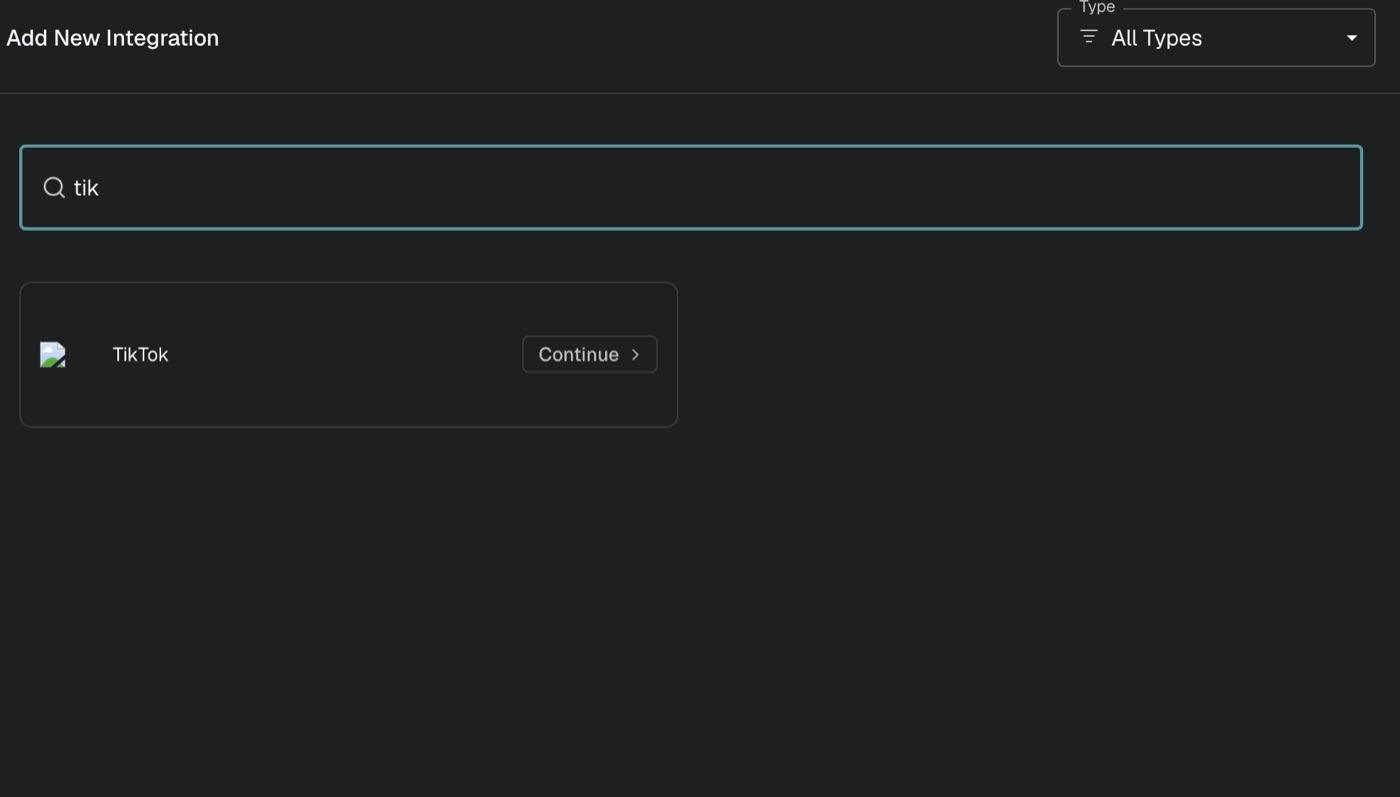
Search for TikTok and select its card using the action shown.
3. Choose the integration type
Select Feedback Integration, then continue to TikTok.
4. Authorize TikTok
Sign in as a user who can manage the TikTok Business Account you want to connect.
Select or confirm the intended Business Account.
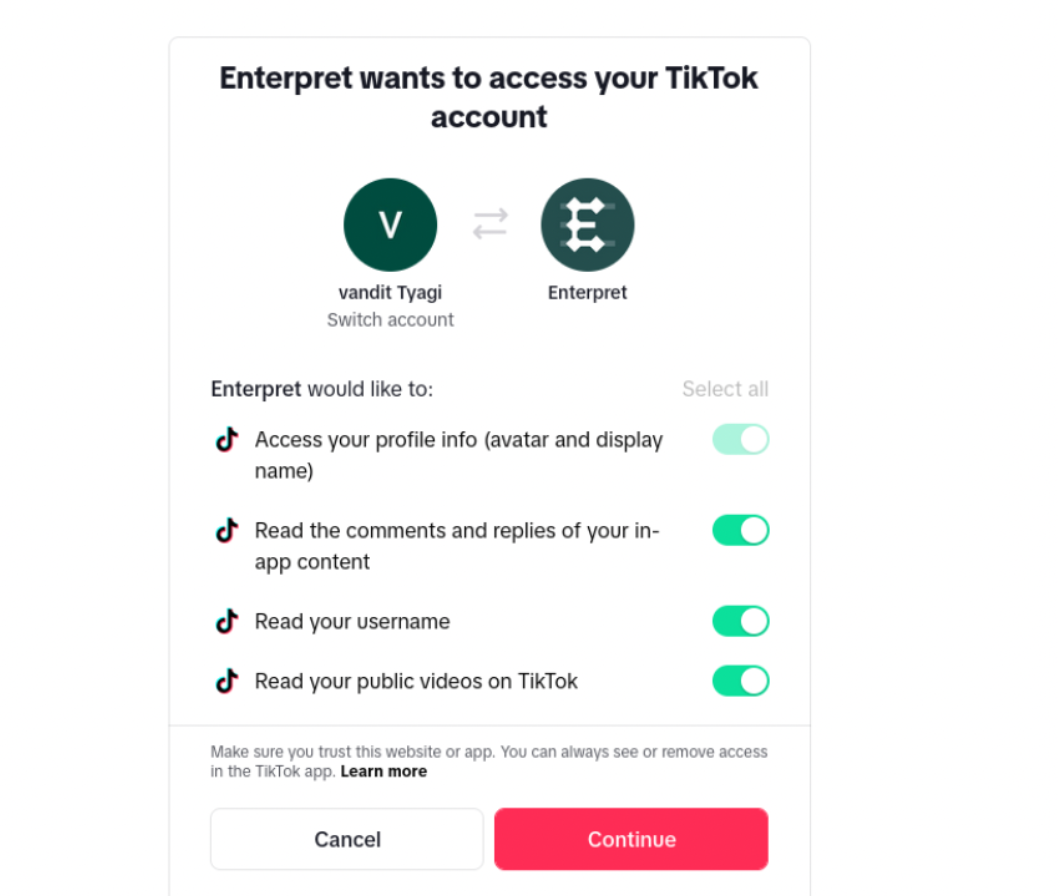
Review and approve the requested access.
Review the permissions shown by TikTok, then click Continue.
5. Confirm the connection
TikTok then redirects you to Enterpret. Confirm that the displayed account is the one you intended to connect; Enterpret starts the initial sync automatically.
Once set up, the connected account appears under the TikTok integration with an Active status.

What Enterpret syncs
Comments and replies. Enterpret imports public top-level comments and threaded replies from eligible videos. It also includes the parent comment for reply context and the video caption as the root of the conversation.
Comments and replies posted by the owner of the connected TikTok account are not created as customer-feedback records.
Initial backfill and ongoing sync. The initial backfill covers public videos published within the last 90 days. After that, Enterpret checks for new videos, comments, and replies every four hours. Large accounts and videos with many comments are processed in batches, so the initial backfill can take longer to complete.
Metadata. Depending on what TikTok makes available, records can include:
TikTok account handle and account identifier.
Video ID, caption, URL, creation time, duration, and engagement counts.
Comment ID, text, creation time, like count, reply count, and commenter handle.
Whether the record is a reply, its parent comment ID, and a direct link to the source video or comment.
Permissions and limitations
During authorization, TikTok asks for access to the connected Business Account’s basic information, business media, and business comments. Enterpret uses this access only to read eligible videos, comments, replies, and related metadata.
The integration is read-only: Enterpret does not post comments, reply to users, edit or delete content, upload videos, or change TikTok account settings.
The current integration does not import:
TikTok Direct Messages, mentions, broad keyword or hashtag listening, third-party videos, or video transcripts.
Private, deleted, or otherwise unavailable videos and comments.
Videos outside the 90-day window or comments and replies authored by the connected account owner as customer feedback.
Reauthorize and troubleshoot
Reauthorization. TikTok access tokens are refreshed automatically. Reauthorize only if access is revoked, permissions change, or the integration reports an authentication error. Use the same TikTok Business Account that was originally connected; to use another account, create a new TikTok integration.
TikTok is not visible in the picker. Contact your Enterpret customer success manager or Enterpret Support. The integration may need to be enabled for your workspace.
Authorization cannot be completed. Confirm that you are signing in as a user who can manage the intended Business Account, that the account is available in the authorization flow, and that you approved the applicable read permissions shown by TikTok.
The integration has no data yet. Confirm that the account owns a public video from the last 90 days with comments enabled. Authorization can complete before the initial backfill finishes processing.
Comments or replies are missing. They may be private, deleted, hidden by moderation, disabled at the video level, outside the supported window, or unavailable through TikTok’s API. Owner-authored comments are intentionally excluded from customer-feedback records.
New comments are delayed. TikTok is checked every four hours and processed in batches. If a public comment is still missing after the next expected sync, contact Support with the integration name and a link to an example video or comment.
Frequently asked questions
Can I connect multiple TikTok accounts?
Yes. Create a separate Enterpret integration for each TikTok Business Account.
Can I use a personal TikTok account?
Confirm personal-account eligibility with your Enterpret team. TikTok’s API capabilities and the permissions enabled for Enterpret’s app determine whether a particular account can connect.
Does Enterpret import TikTok mentions or video transcripts?
No. It imports comments and replies from videos owned by the connected account, using the video caption and available metadata as context.
Can Enterpret reply to TikTok comments?
No. The integration is read-only.
Get help
When contacting Enterpret Support, include your workspace name, the TikTok integration name, a link to an example TikTok video or comment when available, and the approximate time you expected the record to appear.