
Integration Descriptions
Integration Descriptions
Describe what you import, who provided the feedback, and what you want to learn from it.
What feedback is being sent — e.g., support tickets, app store reviews, sales call transcripts, customer interviews
Who wrote it — e.g., paying customers, trial users, enterprise accounts, prospects
What you're trying to learn from it — e.g., identifying product pain points, tracking feature adoption, understanding churn drivers
Which integrations require a description
For a feedback integration, the setup form marks Describe the type of feedback being integrated with an asterisk when a description is required for that source and integration type. Complete the validation questions shown in the form.
Even when the description is optional, fill it in. If predictions look inaccurate, check that the description still matches the source.
Adding or editing a description
Open Integrations from your account menu and select the feedback connection. For sources with separate forms or surveys, select the item you want to edit.
Select Edit, then update Describe the type of feedback being integrated. Use up to 500 characters to explain the feedback, who provided it, and your analysis goal. Complete the checks shown in the form.
Use the save action shown on the form, such as Save Changes or Validate and Save. Reopen the connection and confirm the description was saved.
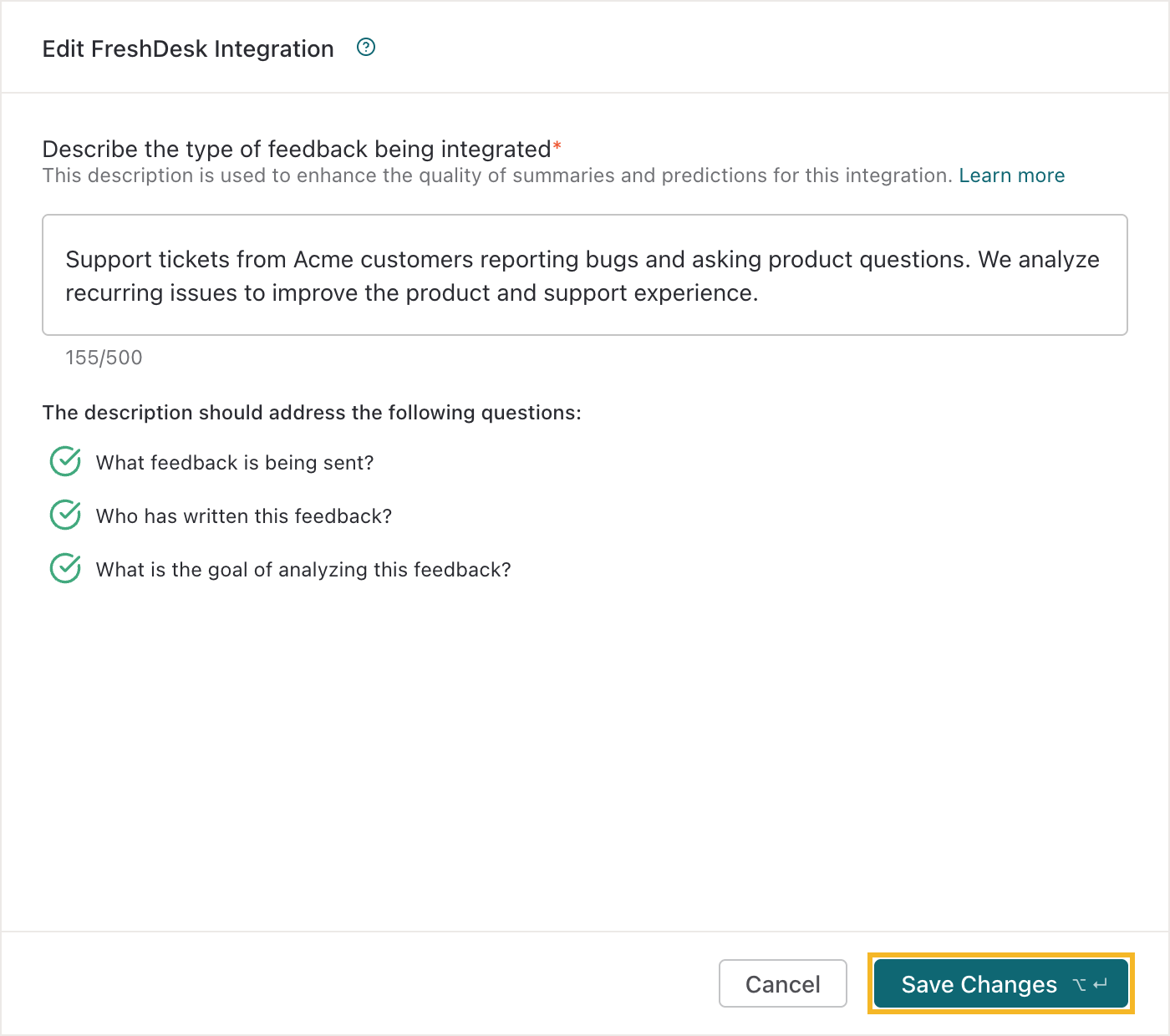
The Edit form for a Freshdesk feedback connection.
Owners and Admins can edit descriptions where the integration’s Edit form exposes that field. Saving a description does not itself rerun predictions for previously processed feedback; contact Enterpret if historical reprocessing is needed.
Impact on existing integrations
Enterpret uses the new description when it processes future feedback. Review the saved integration and resulting predictions after changing it; credentials, source selection, and historical reprocessing are separate configuration tasks.
Available integrations
For feedback sources and their setup guides, use Feedback sources. Use the Integration Activation Guide to choose between feedback ingestion, customer-context syncing, report delivery, and other workflows. Agent connectors are a separate setup for external context and supported actions.
Delighted is retired. New connections and reauthorization cannot restore its API access; use a replacement source or import a retained export with File Upload.
Example descriptions
For Slack:
"Messages from our internal #customer-feedback channel where sales, support, and CS team members post direct customer quotes, complaints, and feature requests they encounter during customer interactions."
For Salesforce Cases:
"Support tickets from our Salesforce Service Cloud. Created by our support team when customers report bugs, ask for help, or submit feature requests. Includes enterprise and SMB customers."
For Zoom:
"Sales and support call recordings. Sales team records customer discovery calls with prospects and customers. Support team records customer troubleshooting calls. We want to understand objections, pain points, and unmet needs."
For File Upload:
"Quarterly NPS survey responses collected via email. Respondents are a mix of active users, lapsed users, and churned customers. Used to understand satisfaction drivers and churn reasons."
For Instagram:
“Comments on our company Instagram posts. We want to find recurring product questions and complaints.”
For Trustpilot:
"Customer reviews and ratings from Trustpilot. Used to understand perception relative to competitors and identify product gaps that prospects see."
These descriptions apply to feedback imports. To connect feedback to an existing Jira issue, see Link Jira work items to feedback.
Best practices for descriptions
Be specific: "Customer feedback" is too vague. "Support tickets from our Help Scout account, submitted by SMB customers experiencing issues" is more useful.
Update the description when you change what you import, such as which Slack channels you include.
Use for troubleshooting: If predictions seem inaccurate, check whether the description still matches the source and audience, then review representative records and taxonomy definitions with Enterpret.