
Sprig Integration
In this article
In this article group
- Amazon Connect
- Apple App Store
- Census Integration
- Connect Plain to Enterpret
- Decagon Integration
- Discord
- Discourse Integration
- Email Integration
- Facebook Pages Integration
- Fathom Integration
- File Upload: CSV data on Enterpret
- Freshchat
- Freshdesk
- Front
- G2
- Gainsight Communities Integration
- GitHub Issues Integration
- Gong Integration
- Google My Business Integration
- Google Play Store
- Grain
- Granola Integration
- Import HubSpot feedback
- Instagram Comments Integration
- Intercom
- Kustomer
- Livechat Integration
- Momentive (Formerly Survey Monkey)
- Pylon integration
- Qualtrics
- Refiner Integration
- Salesforce
- SFTP Integration
- Slack feedback ingestion: setup and troubleshooting
- Snowflake
- Stella Connect
- TikTok Integration
- Trustpilot Integration
- Typeform
- X (formerly Twitter) Integration
- Connect YouTube videos and comments
- Zendesk Chat
- Zendesk Support
- Import Zoho Desk support tickets
- Zoom Integration
- Zapier Integration
- Reddit Search (UGC)
- Wispr Flow integration
Overview
The Sprig integration allows you to ingest feedback data from Sprig surveys directly into Enterpret.
How to integrate Sprig?
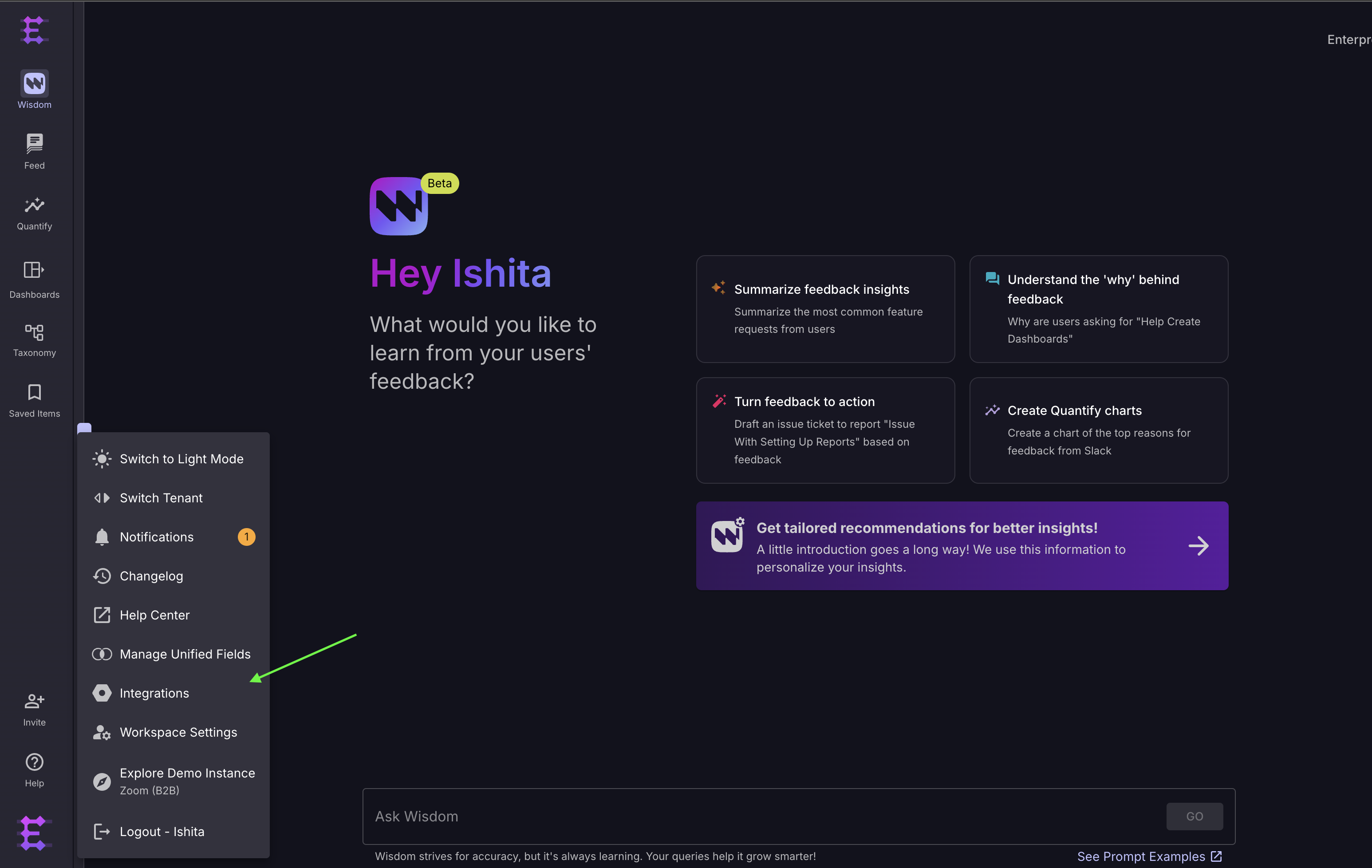
1. Navigate to the Integrations Page
Click on Integration under profile menu.
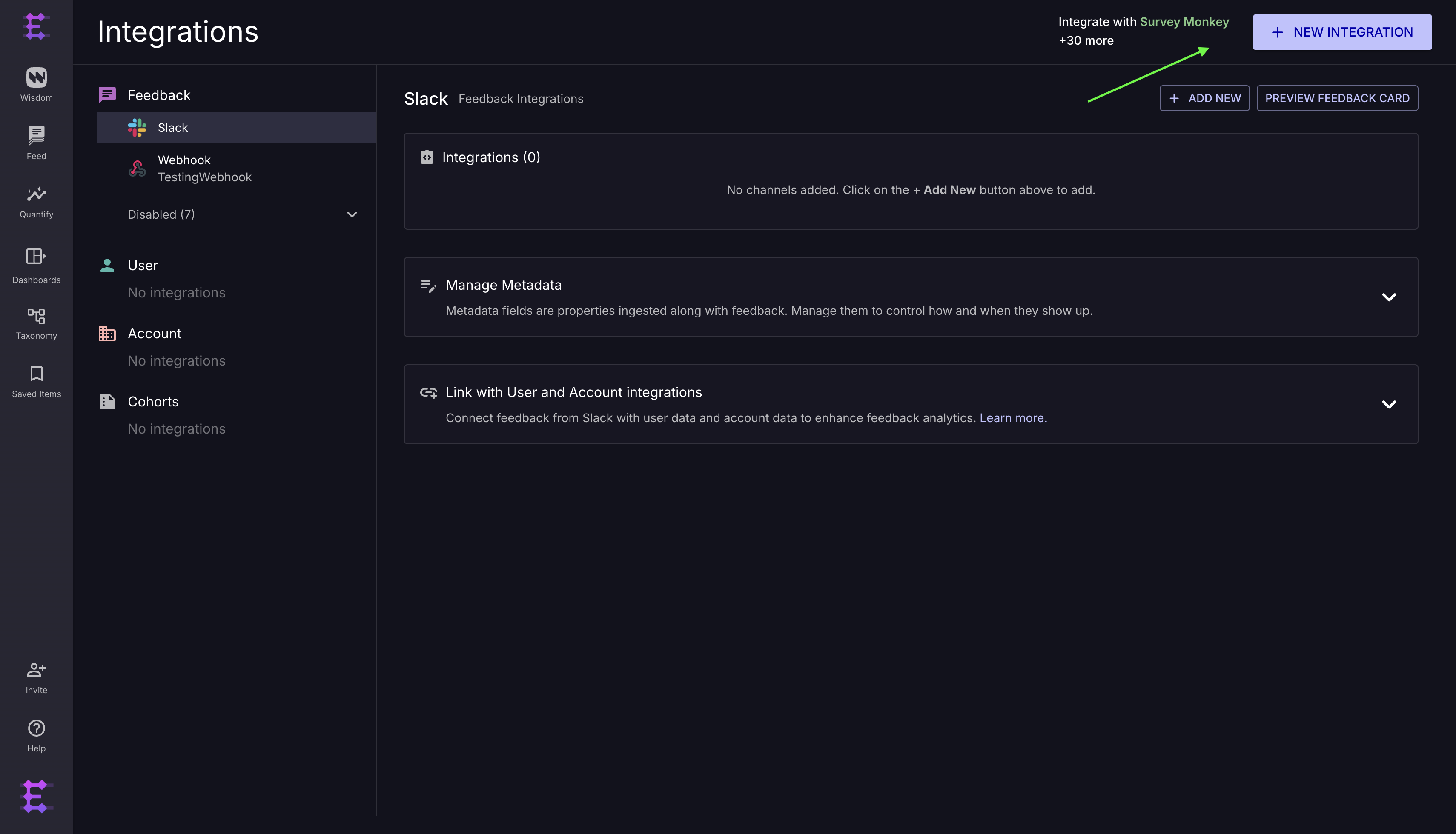
2. Add New Integration
On the Integrations page, click on the + New Integration button.
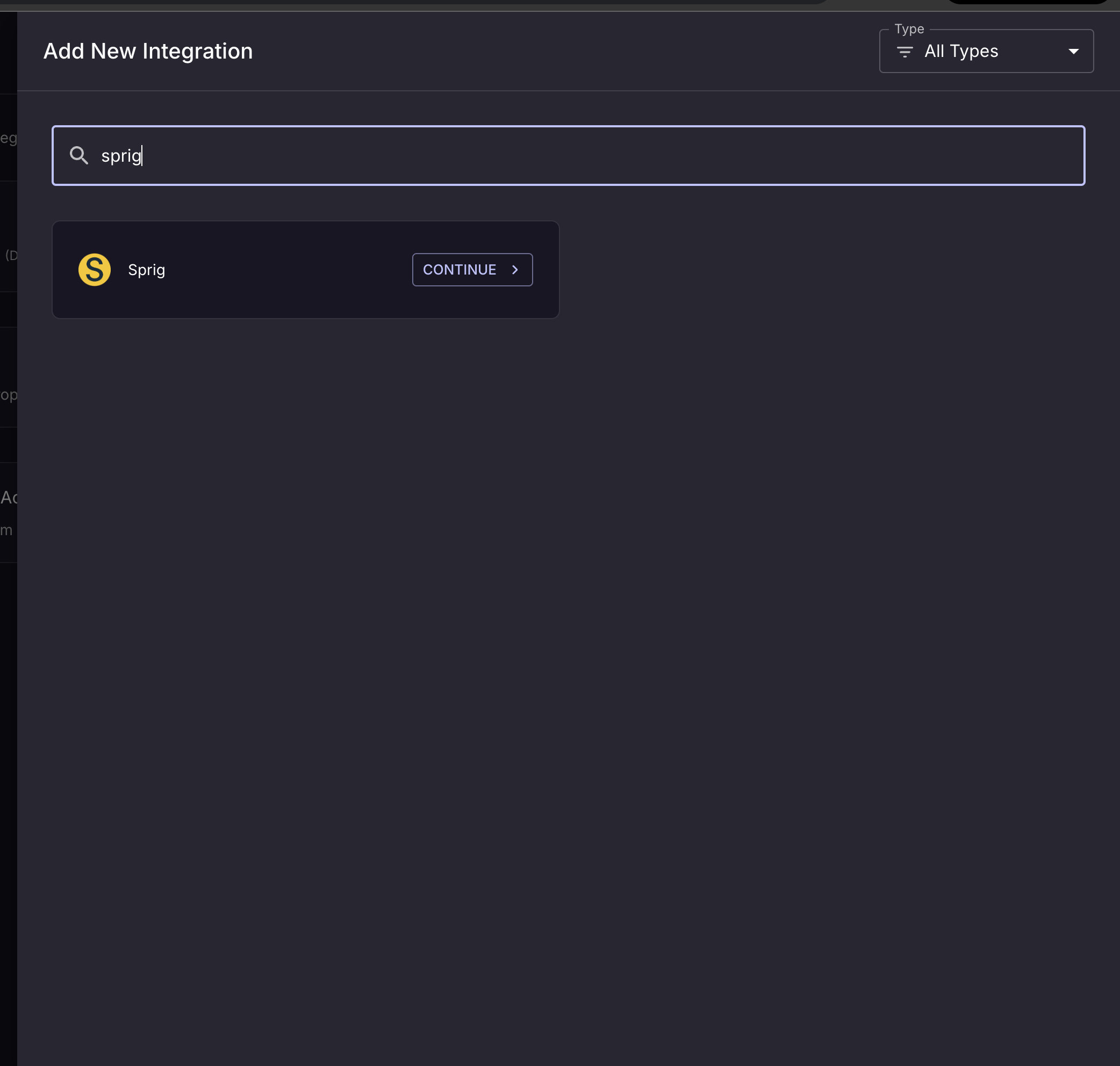
3. Select Sprig
From the list of available integrations, click the Connect button next to Sprig.
4. Select Feedback Integration
Choose Feedback Integration to proceed.
5. Add the API Key
Add your Sprig API key and click Integrate.
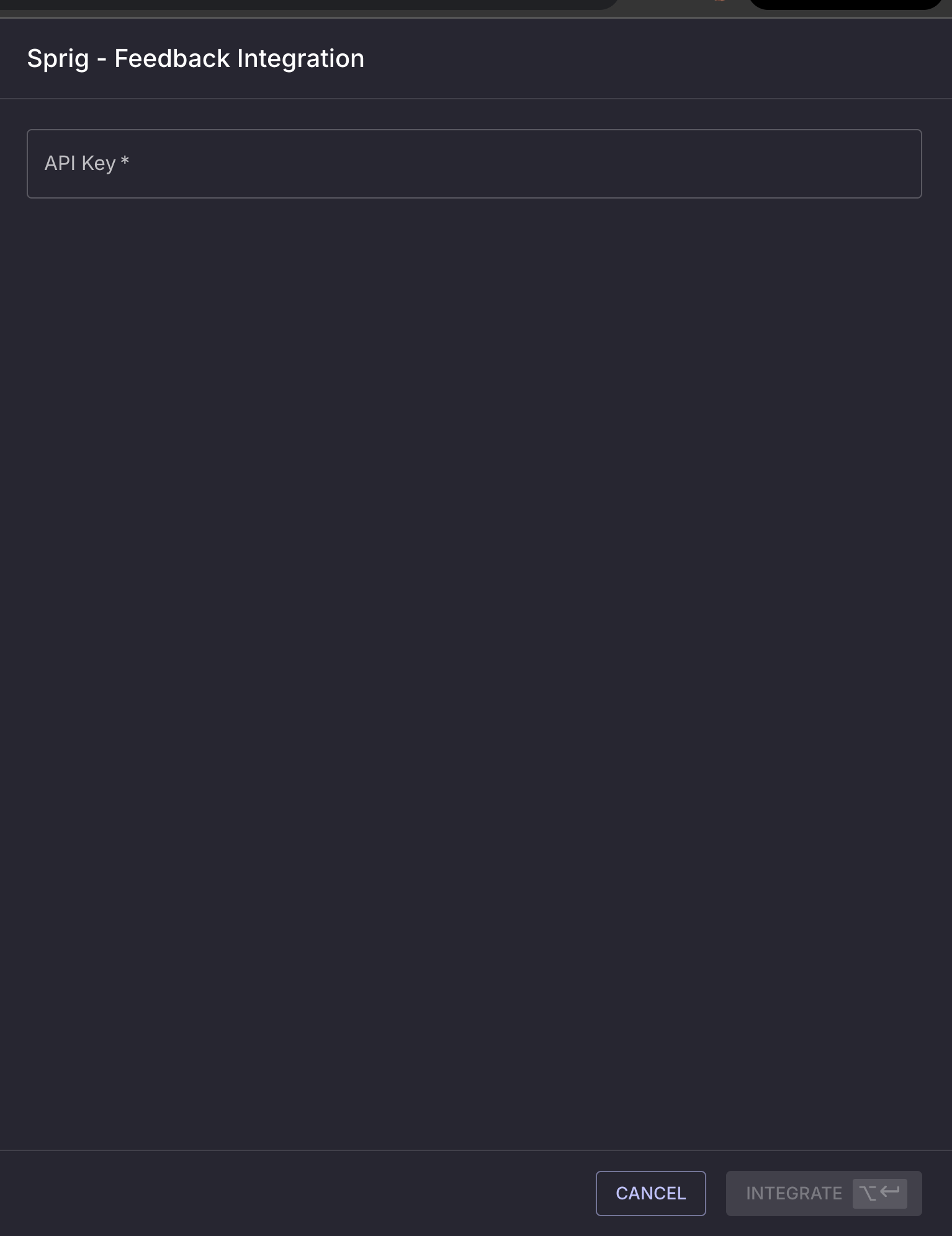
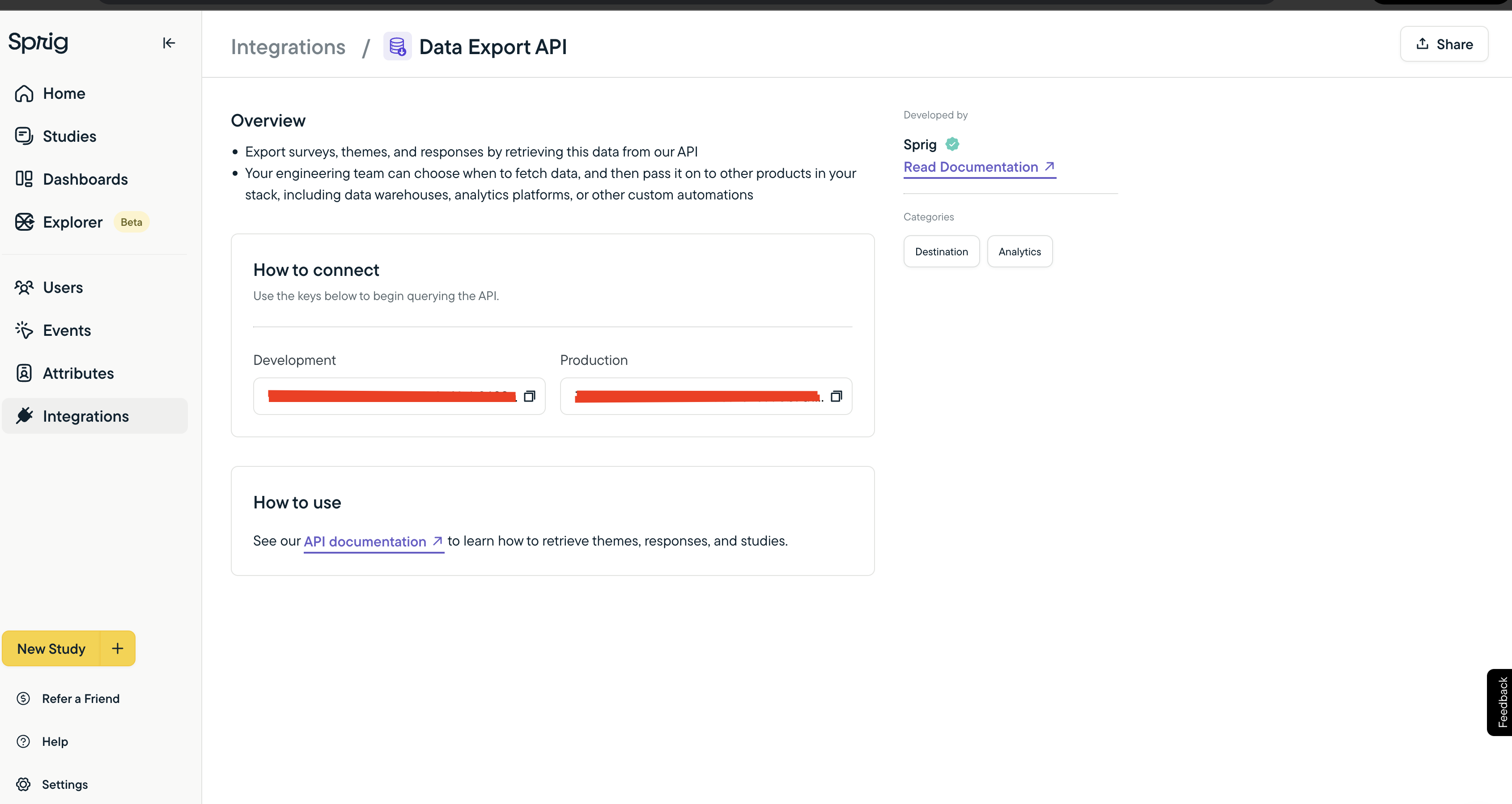
You can find the API key on Sprig's Data Export API Integration page.
6. Select Surveys to Integrate
From the drop down menu, select the survey you want to ingest the data from.
Add Integration description to provide additional context that helps the prediction models understand the feedback more accurately.
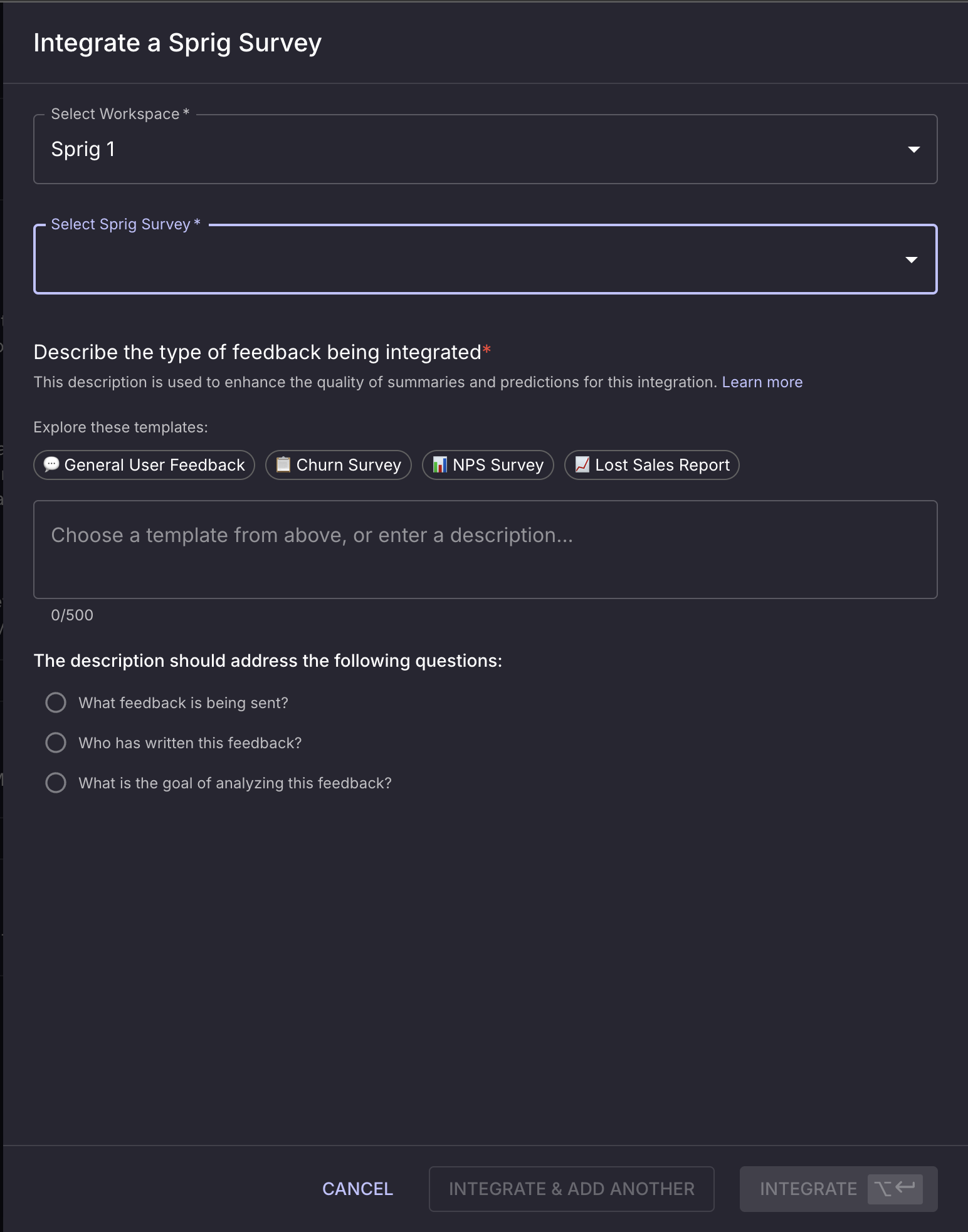
Click on Integrate & Add another to add more surveys to the integration.
And voilà! The integration is successfully set up.