
Export Enterpret data to Snowflake with Export API v2
Use Enterpret Export API v2 to download CSV files, upload them to a Snowflake stage, and load them into a table for analysis. This guide walks through a first load for one export object and one fixed time window, then explains how to plan recurring loads.
Flow: Enterpret Export API → downloaded CSV files → Snowflake internal stage → Snowflake table.
Your team runs the export and loading steps. For the complete API contract, see Export API v2: bulk object exports. To bring Snowflake data into Enterpret instead, use the Snowflake feedback integration.
Before you start
An Enterpret Data Export API token with the
dataExportscope.A terminal with cURL and a Snowflake client that supports
PUT, such as Snowflake CLI or SnowSQL. Run API requests in your terminal; run Snowflake SQL in your connected Snowflake client.PUTreads files on the client machine.A Snowflake role with access to your selected warehouse, database, and schema, and permission to create a file format, internal stage, and table there. If an administrator creates the objects for you, ask for the stage, file-format, and table privileges needed to upload, load, and query.
A private local folder for downloads. Keep each Enterpret workspace, object, and export run separate. Tokens, response files containing signed URLs, and exported feedback should remain in approved private storage.
All uppercase values beginning with YOUR_, object IDs, cursors, dates, and local paths in the examples must be replaced. Names such as ENTERPRET_EXPORT_STAGE and ENTERPRET_EXPORT_RAW are suggested new Snowflake objects. Use unused names for your first load; do not replace existing production objects.
1. Get your Data Export API token
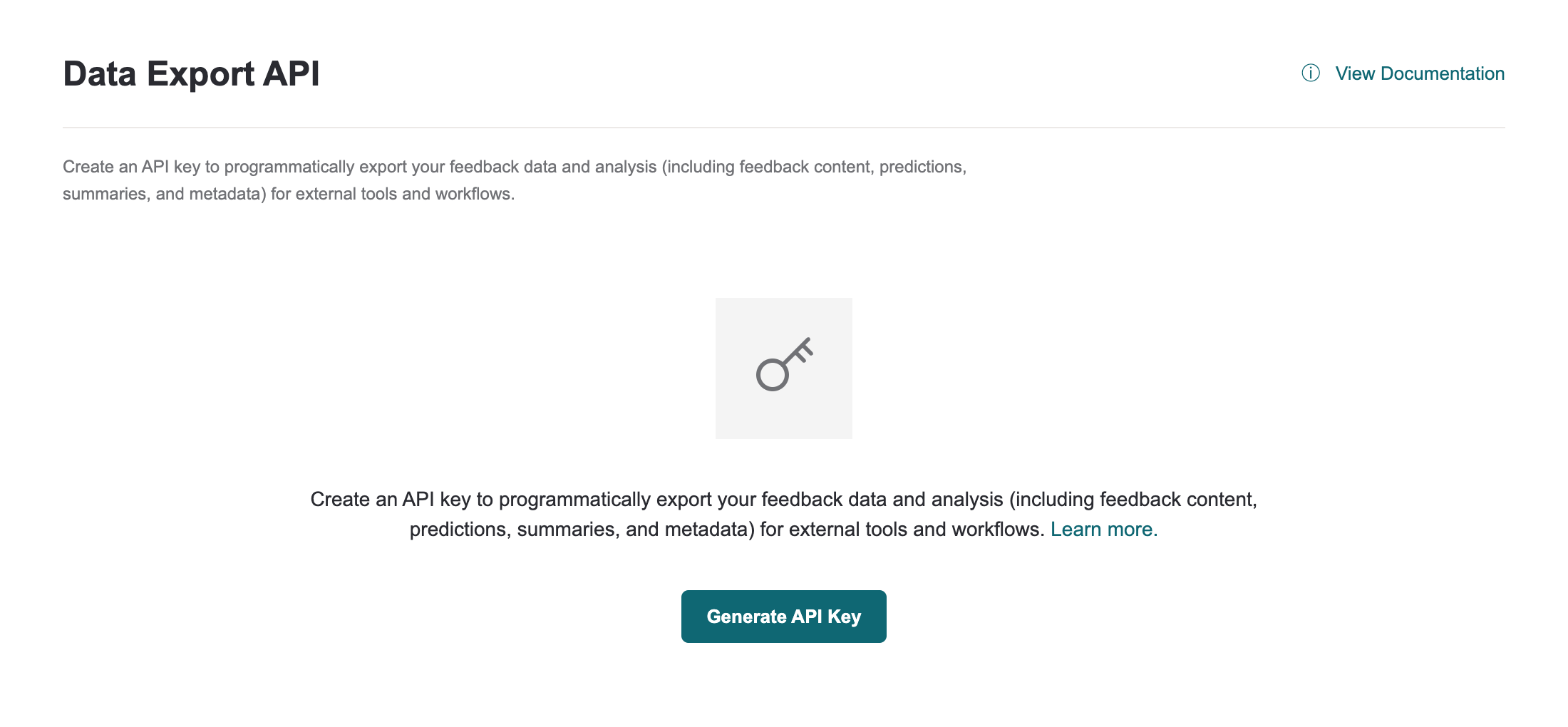
In the intended Enterpret workspace, open Settings → API Access → Data Export API.
Select Generate API Key if you do not have a key yet. If a key exists, use its copy icon.
Use that token in the
Authorization: Bearerheader for Enterpret API requests. If the controls are unavailable, ask your Owner/Admin or Enterpret team for help.
The examples show YOUR_DATA_EXPORT_TOKEN as a placeholder. For routine use, supply credentials through your approved secret-management workflow; avoid saving real tokens in shared scripts, shell history, screenshots, or SQL worksheets.
2. Choose the object to export
curl --fail-with-body --request POST \
  'https://api.enterpret.com/export/external/v2/objects' \
  --header 'Authorization: Bearer YOUR_DATA_EXPORT_TOKEN' \
  --header 'Content-Type: application/json' \
  --data '{}'
Choose the exact id from the returned objects list. Your workspace has its own object catalog: do not assume a fixed feedback, prediction, or taxonomy object ID. If the response has a nonempty paginationToken, repeat this request with {"paginationToken":"TOKEN_FROM_PREVIOUS_RESPONSE"} until the token is empty or absent.
Export each object separately. Related objects require their own exports and a join based on verified relationship fields.
3. Download every page and CSV file
Start with a small, completed time window where you expect processed changes. Use whole-hour UTC timestamps. The start is inclusive and the end is exclusive; the example requests one day. Each request may span at most one calendar year. The window refers to when Enterpret processed changes, not when the original feedback was created.
curl --fail-with-body --request POST \
  'https://api.enterpret.com/export/external/v2/export' \
  --header 'Authorization: Bearer YOUR_DATA_EXPORT_TOKEN' \
  --header 'Content-Type: application/json' \
  --data '{
    "objectID": "OBJECT_ID_FROM_LIST",
    "startTime": "2026-10-01T00:00:00Z",
    "endTime": "2026-10-02T00:00:00Z"
  }'
A response can contain files with temporary CSV download URLs and a cursor for the next page. Empty fields may be omitted.
{
  "files": ["SIGNED_CSV_URL_FROM_RESPONSE"],
  "cursor": "CURSOR_FROM_RESPONSE"
}
Download every URL in
filespromptly. Save each file under a unique name in the run folder, such aspart-0001.csv,part-0002.csv, and so on. Do not overwrite an earlier page’s files.If a nonempty
cursoris present, repeat the export request with the sameobjectID,startTime, andendTime, adding"cursor": "CURSOR_FROM_PREVIOUS_RESPONSE"to the JSON body.Continue until the cursor is absent or empty—even when a page returns no files. Download every file across every page.
To download a file, use its returned signed URL as-is. The download request does not need your Enterpret API token:
curl --fail --location 'SIGNED_CSV_URL_FROM_RESPONSE' \
  --output '/absolute/path/enterpret-export-run/part-0001.csv'
Create the destination folder first. Keep a private manifest of the object, time window, local file names, and file checksums. If a link expires, request the same fixed window again to obtain fresh links and reconcile the downloaded files. If the completed export has no files, there is nothing to load for that run; confirm the object and processing window before proceeding.
4. Prepare Snowflake and upload the files
In your Snowflake client, select the warehouse, database, and schema your administrator approved. These statements create a CSV format and a named internal stage. The format reads column names from the header and supports quoted text containing commas or line breaks.
USE WAREHOUSE YOUR_WAREHOUSE;
USE DATABASE YOUR_DATABASE;
USE SCHEMA YOUR_SCHEMA;

CREATE FILE FORMAT ENTERPRET_EXPORT_CSV
  TYPE = CSV
  PARSE_HEADER = TRUE
  FIELD_OPTIONALLY_ENCLOSED_BY = '"'
  ESCAPE_UNENCLOSED_FIELD = NONE
  MULTI_LINE = TRUE
  EMPTY_FIELD_AS_NULL = FALSE
  NULL_IF = ();

CREATE STAGE ENTERPRET_EXPORT_STAGE
  FILE_FORMAT = (FORMAT_NAME = 'ENTERPRET_EXPORT_CSV');
This raw format preserves empty fields and literal null-like text as strings. Decide how to interpret missing values and null markers later, using your object’s field definitions. Do not add SKIP_HEADER to a format that uses PARSE_HEADER = TRUE. See Snowflake’s CSV file-format reference.
Run PUT from a Snowflake CLI/SnowSQL connection on the machine holding the CSV files. Replace the absolute local path. Use a new stage subfolder for this run and the same subfolder in the remaining steps:
PUT 'file:///absolute/path/enterpret-export-run/*.csv'
  @ENTERPRET_EXPORT_STAGE/run_001/
  AUTO_COMPRESS = TRUE
  OVERWRITE = FALSE;

LIST @ENTERPRET_EXPORT_STAGE/run_001/;
Check that the upload results and stage listing contain all expected files. AUTO_COMPRESS can add a .gz extension. A signed HTTP download URL is not a local path for PUT; download the file first. See Snowflake’s PUT reference.
5. Create a raw table from your CSV headers
Inspect every file’s header before loading. Use one table for one object with a consistent set of column names. If files have different headers, separate them into schema groups and reconcile the differences before combining them. A CSV-aware parser is needed for row counts; feedback can contain embedded line breaks.
Use Snowflake’s INFER_SCHEMA to inspect the staged column names:
SELECT COLUMN_NAME, TYPE, ORDER_ID
FROM TABLE(INFER_SCHEMA(
  LOCATION => '@ENTERPRET_EXPORT_STAGE/run_001/',
  FILE_FORMAT => 'ENTERPRET_EXPORT_CSV',
  IGNORE_CASE => FALSE
))
ORDER BY ORDER_ID;
Compare the returned names against every downloaded header. Inference can sample files; it is not a substitute for checking all headers. Confirm that record_id and the fields you expect are present.
Create a new raw table using these names. The template deliberately uses VARCHAR for every column so identifiers, timestamps, and JSON text remain strings during the first load. Convert fields to business types in a separate view or transformation after checking their meaning.
CREATE TABLE ENTERPRET_EXPORT_RAW
USING TEMPLATE (
  SELECT ARRAY_AGG(
    OBJECT_CONSTRUCT(
      'COLUMN_NAME', COLUMN_NAME,
      'TYPE', 'VARCHAR',
      'NULLABLE', TRUE
    )
  ) WITHIN GROUP (ORDER BY ORDER_ID)
  FROM TABLE(INFER_SCHEMA(
    LOCATION => '@ENTERPRET_EXPORT_STAGE/run_001/',
    FILE_FORMAT => 'ENTERPRET_EXPORT_CSV',
    IGNORE_CASE => FALSE
  ))
);

DESCRIBE TABLE ENTERPRET_EXPORT_RAW;
Review the resulting columns before loading. This uses Snowflake’s CREATE TABLE … USING TEMPLATE syntax. If the stage contains no usable data, or inference fails, have your data team create the table from the verified CSV headers instead.
6. Load the files and check the results
COPY INTO ENTERPRET_EXPORT_RAW
FROM @ENTERPRET_EXPORT_STAGE/run_001/
FILE_FORMAT = (FORMAT_NAME = 'ENTERPRET_EXPORT_CSV')
MATCH_BY_COLUMN_NAME = CASE_SENSITIVE
ON_ERROR = 'ABORT_STATEMENT';

SELECT COUNT(*) AS LOADED_ROWS
FROM ENTERPRET_EXPORT_RAW;

SELECT * FROM ENTERPRET_EXPORT_RAW LIMIT 10;
Review the COPY INTO output for each file: status, rows parsed, rows loaded, and errors. Compare the new table’s row count with CSV-aware counts across all downloaded files, excluding headers. Spot-check identifiers, multiline feedback, and other expected fields.
Check column coverage: name-based loading can ignore file columns that have no matching table column. ABORT_STATEMENT does not catch that mismatch. Compare headers and table columns before every run. Exact casing matters; quote lowercase or mixed-case column names when querying them. See Snowflake’s COPY INTO reference.
If your header contains lowercase record_id, this query shows repeated IDs in the raw load:
SELECT "record_id", COUNT(*) AS ROW_COUNT
FROM ENTERPRET_EXPORT_RAW
GROUP BY "record_id"
HAVING COUNT(*) > 1;
Repeated IDs can represent multiple updates. Keep them in the raw layer until you have a validated rule for choosing the current version; file download order is not a reliable version order.
7. Plan recurring loads
The first-load procedure creates a raw dataset for inspection. Before scheduling it, agree on these rules with your data team:
Window tracking: record completed bounds per workspace and object. Advance the checkpoint only after all pages are downloaded, all files are loaded, and checks pass. Keep bounds fixed while paginating. Plan a reconciliation lookback for late processing or repaired files with your Enterpret team.
Safe retries: retain file checksums, stage paths, and load outcomes. Snowflake’s file-load tracking can prevent some repeated file loads, but it does not deduplicate records across files or provide an end-to-end exactly-once guarantee. Avoid
FORCE = TRUEas a routine retry strategy.Updates: retain workspace, object, and record identity in your pipeline. Build a curated table with a verified version-selection and merge rule. Do not assume a universal update timestamp or treat the last downloaded row as the newest.
Schema changes: compare new headers with the destination schema. Review new, removed, or changed fields before loading; use separate raw tables where schemas differ.
Deletions: API v2 does not return a deleted-record ID feed. A row already loaded into Snowflake is not removed automatically when it is deleted in Enterpret. Agree on a deletion-reconciliation process with Enterpret Support before relying on Snowflake as a current-state replica.
Retention and access: apply your organization’s rules to the downloaded files, stage, raw tables, and transformed data. Keep tokens in a secret manager and restrict access to exports.
Exports contain changes processed in a window. They are not a complete point-in-time snapshot, and an initial historical export is not a guarantee that every unchanged record or deletion is represented. Confirm the history and completeness your use case requires with Enterpret Support.
Troubleshooting
| Symptom | What to check |
|---|---|
| 401 or 403 from Enterpret | Check the token, workspace, and dataExport scope. Use the Data Export API token, not a Webhook integration key. |
| 400 from Enterpret | Check JSON, the exact object ID, timestamp format, and start/end bounds. Keep the same bounds when sending a cursor. |
| 429 or temporary 5xx | Retry with bounded backoff. Do not advance the checkpoint or change the window on retry. |
| No files returned | Continue if a cursor is present. If pagination is complete, confirm the selected object and processing window. |
| Download link expired | Request the same window again and reconcile the files using your manifest. |
| PUT cannot find a file | Run it from a supported local client; check the absolute path and local file permissions. |
| COPY fails or fields are missing | Check CSV quoting, header names and case, table columns, and the COPY output. Do not skip errors to make a load appear complete. |
| Duplicate or stale records | Review retries, processing windows, and your update/deletion reconciliation. Raw exports are not a current-state replica. |
When asking for help, share the endpoint, object ID, UTC window, HTTP status, and a sanitized error message. For Snowflake loading problems, include the query ID and affected column names. Never share the API token, signed download URLs, or unredacted customer feedback.