
Export API v2: bulk object exports
Use Export API v2 to download bulk CSV data for objects in your Enterpret workspace. Discover the available objects, choose a fixed time window, and download every file returned across all pages.
This API exports changes processed in the requested windows. It does not provide a complete point-in-time snapshot or a feed of deleted-record IDs.
If you are migrating a v1 client, review Data Export API v1: legacy reference. V2 takes an object ID and time window. V1 used feedback filters and returned a query ID for polling.
Objects and data
Your workspace has its own object catalog and fields. Use the object IDs returned by List Objects; do not assume an example ID exists in every workspace.
- Feedback records: The feedback and associated metadata available in your workspace.
- Taxonomy objects: Taxonomy nodes and hierarchies used to organize feedback.
- Taxonomy relationships: Available levels, object IDs and relationship fields depend on the workspace schema.
- Summaries: Summary objects may contain multiple entries associated with feedback.
- Predictions and other objects: Other objects can contain classifications, assignments or customer-specific data. Start with List Objects. The CSV headers show which columns each file contains.
Authentication
Use a Data Export API token for the Enterpret workspace you want to export from. The token must have the dataExport scope.
Get your token
Sign in to the intended Enterpret workspace and open Settings.
Under API Access, select Data Export API.
If you do not have a key yet, select Generate API Key.
Use the copy icon beside the API key to copy the token. If a key already exists, you can copy it directly.
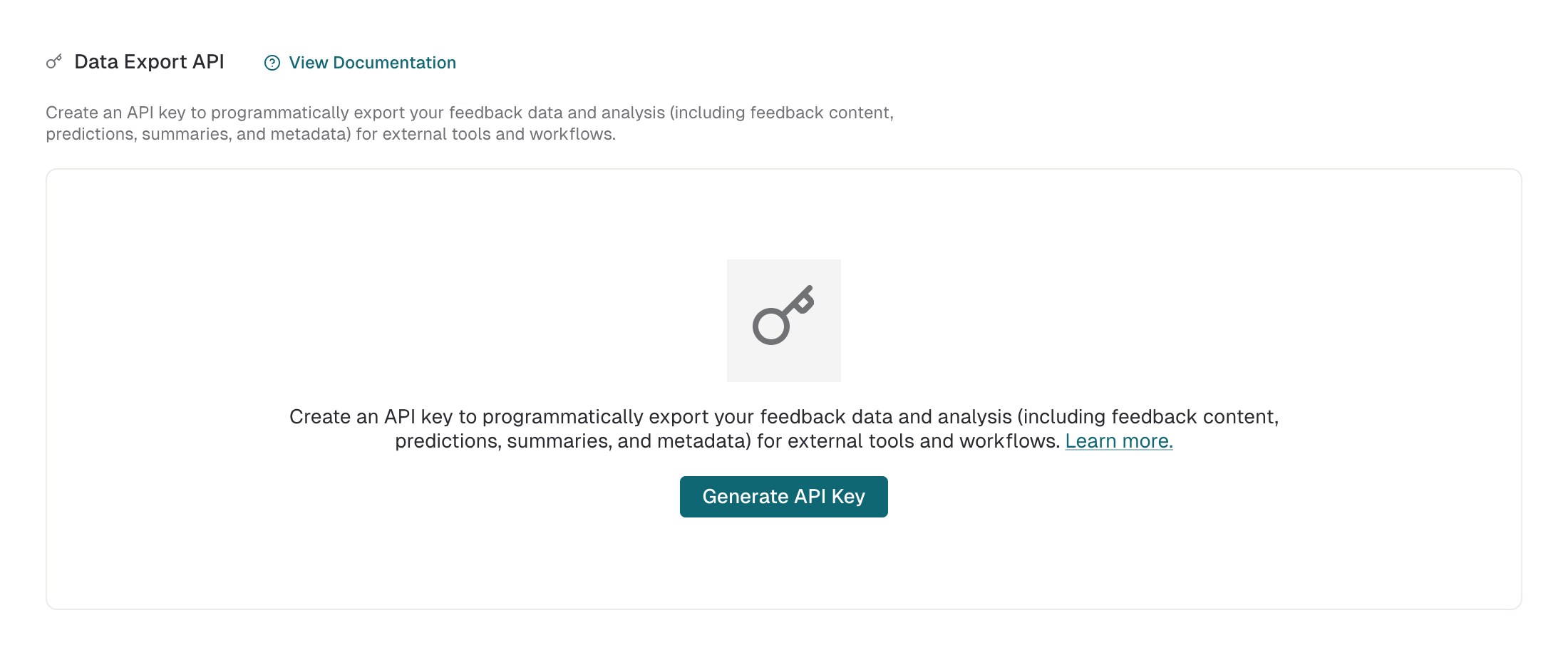
Can’t see these controls? Ask your Enterpret Owner/Admin or Enterpret team to help you obtain a token with the dataExport scope.
Use your token
Include the token in the authorization header on each API request:
Authorization: Bearer YOUR_DATA_EXPORT_TOKEN
Replace YOUR_DATA_EXPORT_TOKEN with your copied token. Keep the token and returned download URLs private.
Base URL
https://api.enterpret.com/export
Every example below includes the full URL. Replace all uppercase placeholders before running a request.
Endpoints
1. List Objects
POST /external/v2/objects
Send an empty JSON object for the first request. If a response returns a paginationToken, send it unchanged in the next List Objects request, and continue until it is absent or empty.
The response can contain an objects array with each object’s id and available name and description. Empty arrays and default fields can be omitted. The response does not include field types or relationship definitions. Copy the exact id of the object you want to export.
Example request
curl --request POST 'https://api.enterpret.com/export/external/v2/objects' \
  --header 'Authorization: Bearer YOUR_DATA_EXPORT_TOKEN' \
  --header 'Content-Type: application/json' \
  --data '{}'
Illustrative response
Example values below are placeholders, not a workspace object dictionary.
{
  "objects": [
    {
      "id": "OBJECT_ID_FROM_LIST",
      "name": "Example object",
      "description": "Example description"
    }
  ]
}
2. Export Object Data
POST /external/v2/export
Choose the object and time range for the first request. Use the same object and bounds for every page.
| Field | Required | Value |
|---|---|---|
objectID | Yes | Exact object ID from List Objects. |
startTime | Yes | Start of the processing window. |
endTime | No | Exclusive end of the window. Set it explicitly for a fixed export. |
cursor | No | Value returned by the preceding export page. |
Timestamp format
Use UTC timestamps on whole-hour boundaries, such as 2026-10-01T00:00:00Z. RFC3339 timestamps and the minute-precision UTC form 2026-10-01T00:00Z are accepted. Both bounds are rounded down to the hour. If endTime is omitted, it defaults to the start of the current UTC hour.
Time windows and bounds
The start is inclusive and the end is exclusive. For example, 2026-10-01T00:00:00Z to 2026-10-02T00:00:00Z requests one day. Start must be earlier than end after rounding, and a request may span no more than one calendar year. This is a limit on the interval length, not a statement about how far back data is available.
The window uses the time Enterpret processed the change for the selected object. An update to an older feedback record can appear in a later processing window.
Response
files contains short-lived signed CSV download URLs. cursor, when present, identifies where to continue checking the requested range. A page can contain no files and still return a cursor. Empty arrays can be omitted from the JSON.
Example request
curl --request POST 'https://api.enterpret.com/export/external/v2/export' \
  --header 'Authorization: Bearer YOUR_DATA_EXPORT_TOKEN' \
  --header 'Content-Type: application/json' \
  --data '{
    "objectID": "OBJECT_ID_FROM_LIST",
    "startTime": "2026-10-01T00:00:00Z",
    "endTime": "2026-10-02T00:00:00Z"
  }'
Illustrative response
{
  "files": [
    "SIGNED_CSV_URL_FROM_RESPONSE"
  ],
  "cursor": "CURSOR_FROM_RESPONSE"
}
The URL and cursor above are placeholders. Use the actual returned values unchanged.
Retrieve all pages
Download every URL in
filespromptly.If the response has a nonempty
cursor, repeat the export request with that cursor and the sameobjectID,startTimeandendTime.Continue until the cursor is absent or empty, even if a page has an empty or absent
filesarray.
curl --request POST 'https://api.enterpret.com/export/external/v2/export' \
  --header 'Authorization: Bearer YOUR_DATA_EXPORT_TOKEN' \
  --header 'Content-Type: application/json' \
  --data '{
    "objectID": "OBJECT_ID_FROM_LIST",
    "startTime": "2026-10-01T00:00:00Z",
    "endTime": "2026-10-02T00:00:00Z",
    "cursor": "CURSOR_FROM_PREVIOUS_RESPONSE"
  }'
A page returns up to 10 files. File boundaries can cover hours, days, weeks or months; do not expect one file per hour. A cursor means there is more range to check, not necessarily more nonempty files.
Read the CSV files
Use a CSV parser that handles quoted values, commas and line breaks. Read each file’s header and map columns by name. Columns depend on the object and workspace, and can differ across files as the schema changes. Validate field types, missing values and relationship fields before loading them into your destination.
Do not treat the example object descriptions as a fixed data dictionary. Repeated updates can cause the same record ID to appear in different files or windows.
Errors and troubleshooting
Handle the HTTP status and retain the returned error details for troubleshooting. Error bodies vary between authentication and request handling; do not assume every failure has the same JSON wrapper.
| Status | Check |
|---|---|
| 400 | Valid JSON, required fields, timestamp formats and effective time bounds. |
| 401 | Bearer token is valid. |
| 403 | Token has the required dataExport scope. |
| 429 or transient 5xx | Retry with backoff. Keep the same fixed export window. |
If an export has no files, first check the exact listed object ID and the processing window. An empty result alone does not establish that no source records exist or that all recent processing is complete.
Request pacing
Use bounded retries with backoff and avoid repeatedly requesting the same range while waiting for data. Contact Enterpret Support for throughput or availability requirements for your integration.
Recommended workflow
List the workspace’s objects and choose the exact object ID.
Try a small, fixed, completed time window and inspect all returned CSV headers.
Download every page and file, keeping the request bounds unchanged.
Plan how your destination will handle retries, repeated records, schema changes, updates and deletions before scheduling a recurring export.
Frequently asked questions
Where is the data dictionary?
List Objects provides the available object IDs, names and descriptions. Inspect a sample export’s headers to see the actual columns. Ask Enterpret Support to confirm field meanings or types you need for your integration.
How do I join objects?
Relationship fields depend on the object schema. Confirm the actual exported keys and their meaning before building joins; do not infer them solely from similar field names.
How should I identify records?
Exported rows include record_id. Keep the workspace and object identity with the record ID in your destination. Do not assume IDs are globally unique across workspaces or object types, or that each ID appears only once across an entire export.
Are exports a snapshot of the latest state?
No. Each file combines changes Enterpret processed during its window. Deleted records and records that did not change during that window may be absent. Enterpret may rebuild historical files after a repair. The API does not guarantee a point-in-time snapshot or exactly-once delivery.
Are deletions included?
CSV files can omit records deleted during the window. If Enterpret exported a row before it was deleted, a later export gives you no deletion entry to remove that row from your destination. Contact Enterpret Support if your destination needs to reflect deletions.