
Dashboard Templates
What are Dashboard templates?
Dashboard templates are reusable starting points containing saved widgets and settings. Choose a template available in your workspace, then review and adapt its content for your reporting needs. Users with template-management permission can make a Dashboard available as a template.
How to create a Dashboard from an existing template?
To create a Dashboard from an Enterpret template, select the template while creating a new Dashboard, then click USE THIS TEMPLATE at the top right.
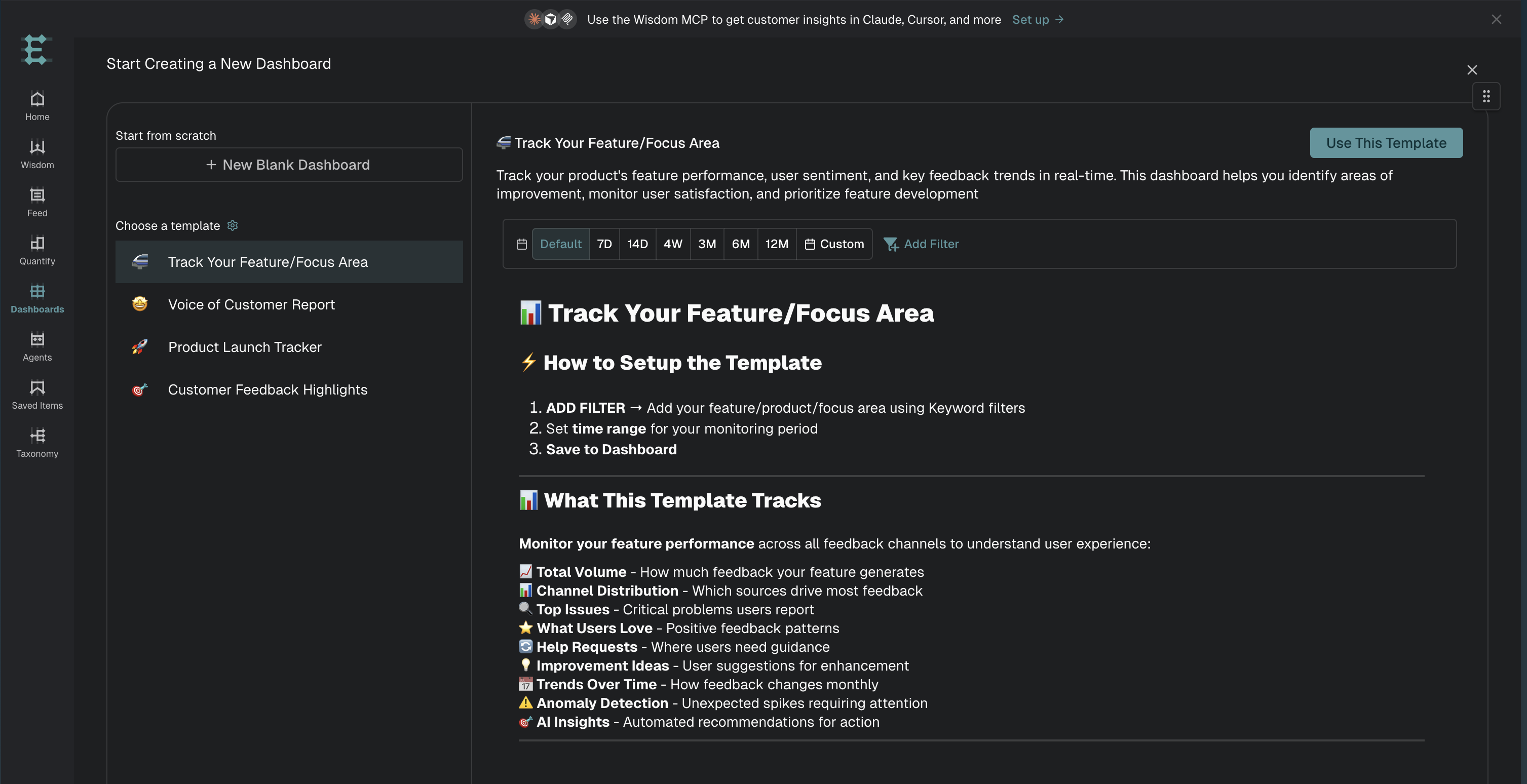
For more on creating dashboards, refer to Dashboard Basics.
How to edit an existing Dashboard template?
To edit a dashboard template, create a new dashboard.
Click USE THIS TEMPLATE on the top right to create a copy of the dashboard template for yourself, which you can edit.
How to create a new Dashboard template?
Setting a Dashboard as a template requires template-management permission. If the action is unavailable, ask your workspace administrator to check your role.
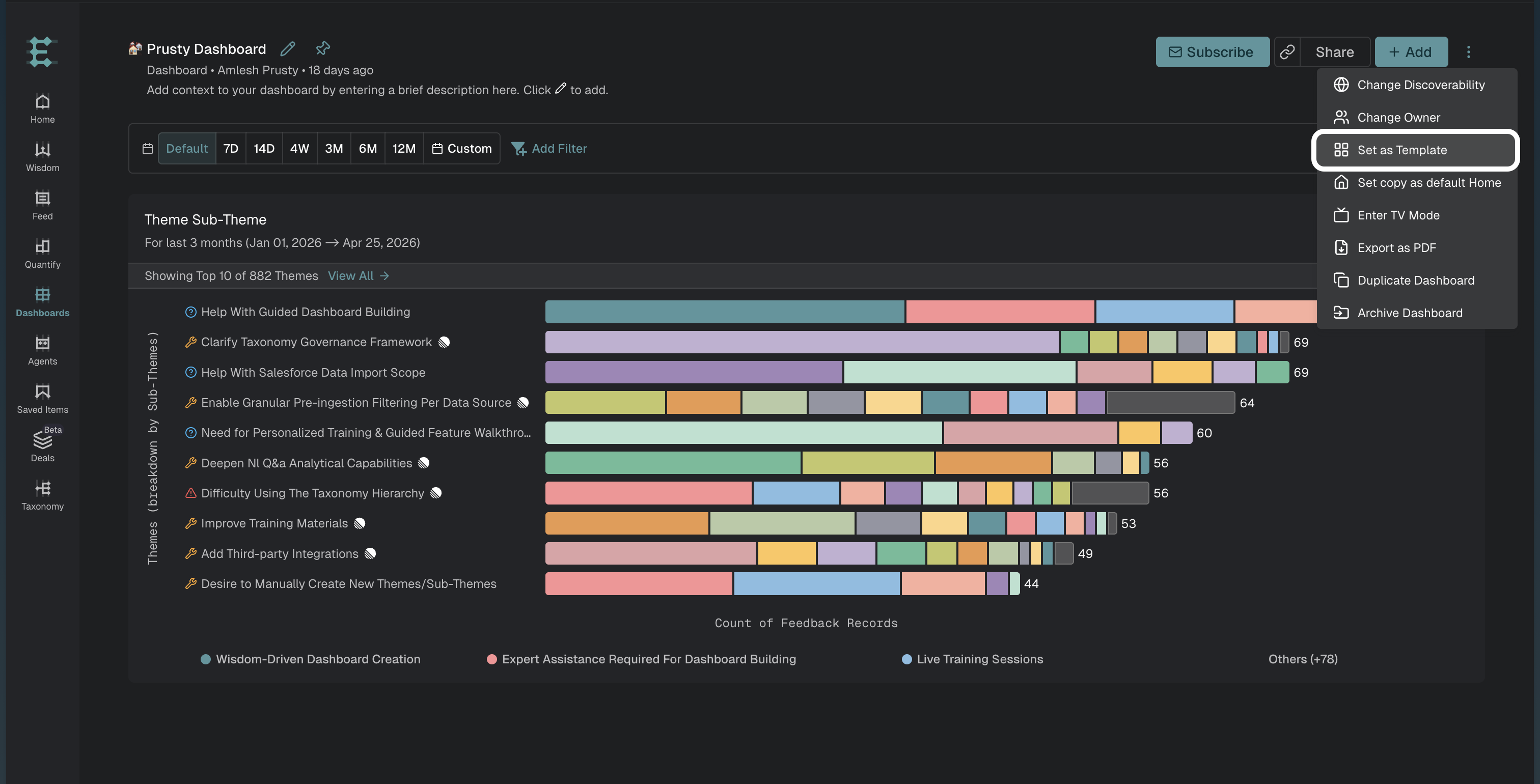
After creating your desired dashboard with at least one widget, open the three-dot menu in the dashboard toolbar and select Set as Template.
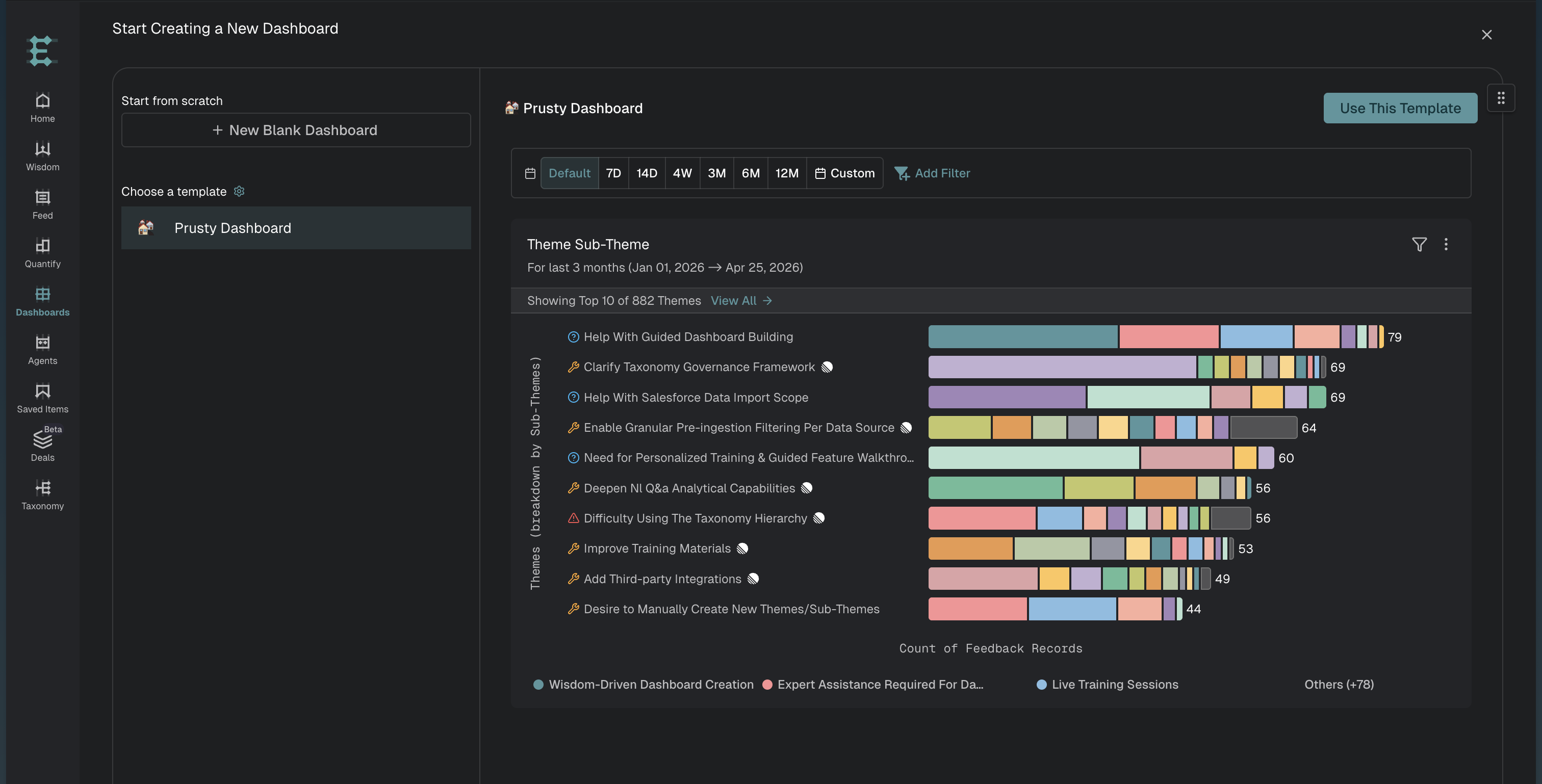
After you set a Dashboard as a template, users can choose it when creating a new Dashboard.