
Adaptive Taxonomy
In this article
In this article group
We structure customer feedback to enable analytics and insights. This structure is called Adaptive Taxonomy. You can view your organization's Taxonomy by clicking the Taxonomy icon in the left navigation bar.
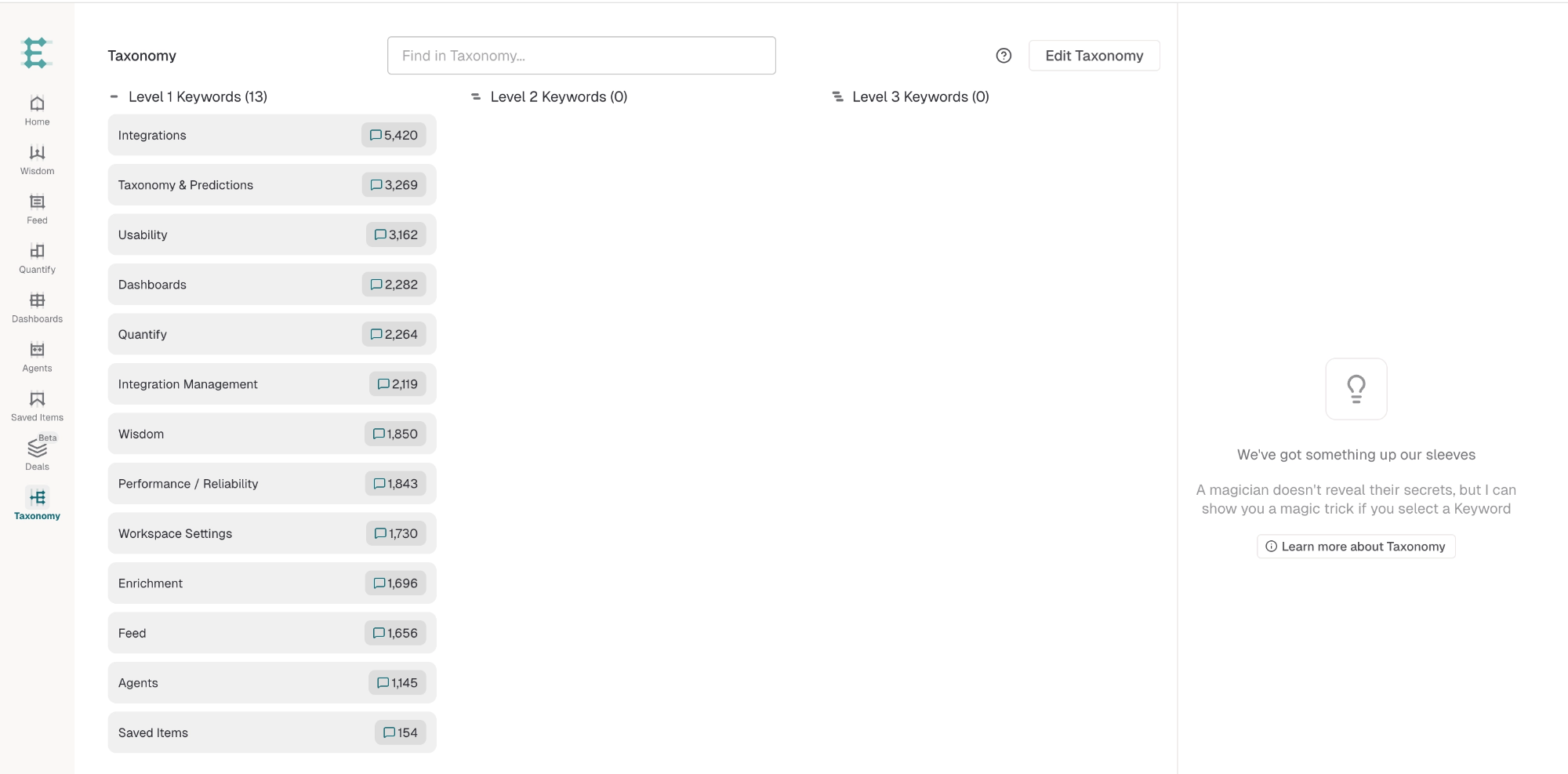
Adaptive Taxonomy is a five-tier hierarchy that organizes feedback from broad product areas down to specific, actionable feedback summaries.
L1: Broad Product Domains
The highest level of the hierarchy. L1 tiers represent major areas of your product or service. Examples include Billing, Onboarding, Core Product, or Authentication.
L2: Feature Areas
The second tier. Feature areas fall under each L1 domain and represent major feature groupings. Examples include Invoice Management, Subscription Changes, or Password Reset.
L3: Specific Features
The third tier. L3 represents individual features or sub-topics within a feature area. Examples include Failed Invoice Retry, Plan Downgrade, or SSO Configuration.
Theme
The fourth tier. Themes are granular, repeatable feedback summaries describing what customers are actually saying. Themes are self-descriptive and capture the essence of feedback. Example: "Invoice not displaying the correct amount" or "SSO login fails with error code 401."
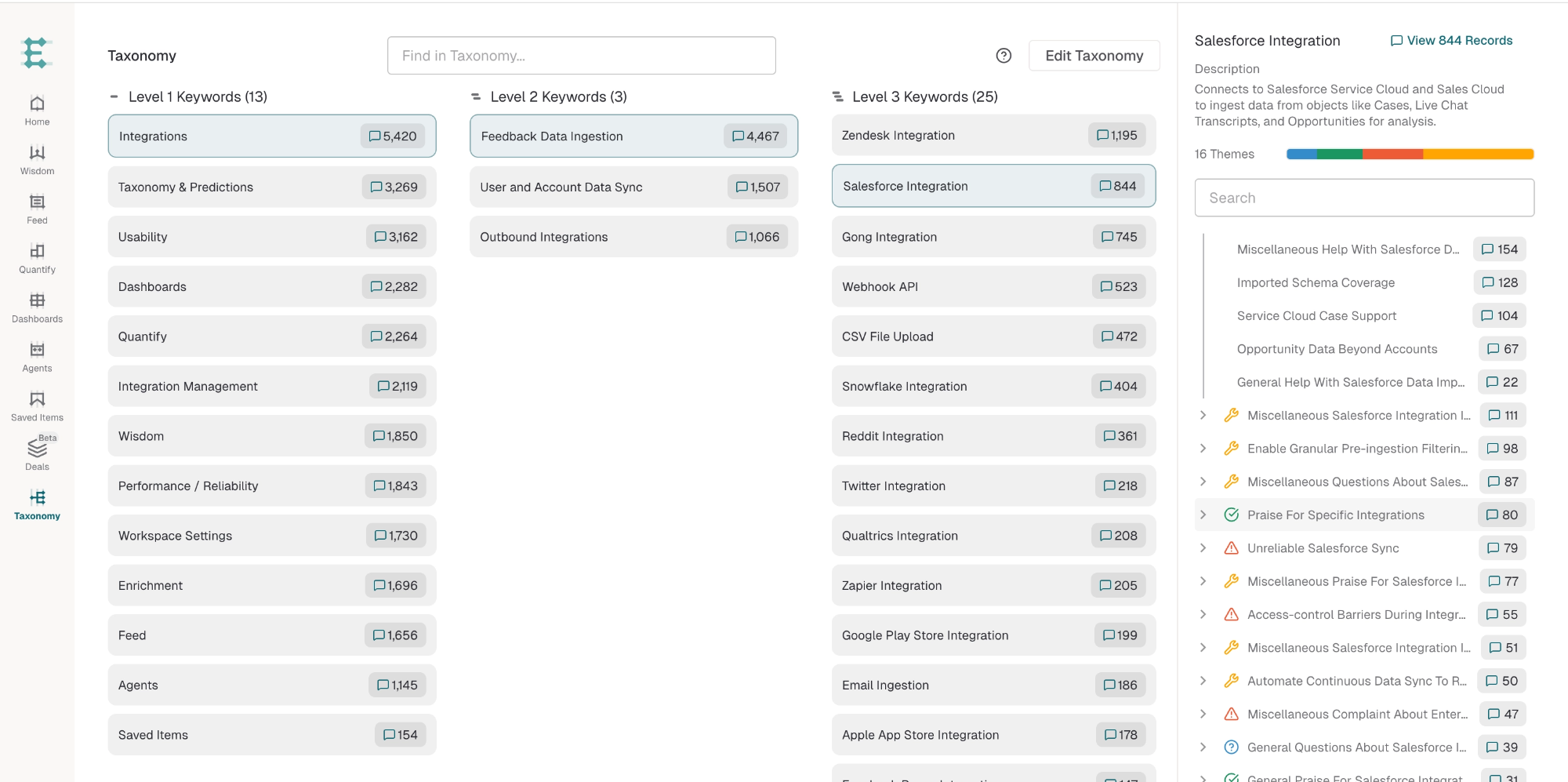
Subtheme
The fifth and most specific tier. Subthemes further refine themes with additional context or variation. For example, the Theme "Invoice not displaying correct amount" might have Subthemes like "Tax calculation is wrong" or "Discount not applied to total."
How Adaptive Taxonomy Works
Adaptive Taxonomy is generated automatically from your feedback data. Enterpret analyzes incoming feedback and automatically creates the initial L1 through Subtheme structure based on what your customers are actually saying. You can customize labels, merge or split tiers, and adjust sentiment classifications without rebuilding from scratch.
Managing Your Taxonomy
Click Edit Taxonomy on the Taxonomy page to open Enterpret Agent. Describe the change you want, review its impact, and ask the Agent to prepare it. Prepared changes are saved for you and are not live until you explicitly publish them.
For instructions on exploring your taxonomy, preparing changes, and publishing with your selected historical coverage, refer to the Taxonomy Management article.
If you cannot access taxonomy management, contact your workspace admin or your Enterpret contact.
Use this context in Enterpret Agent reporting
Ask Enterpret Agent to use the relevant fields, customer attributes, or taxonomy conditions available in your workspace, with an explicit source scope and reporting period. For a daily report, weekly digest, or recurring summary, configure scheduled Agent automations with the same brief and verify the actual scope and output. Use connectors separately when a task needs external context or supported actions; data configuration here does not grant connector access.