
Deals in Enterpret
Deals in Enterpret connect CRM opportunity data with customer conversations and feedback. This helps your team understand why deals are won or lost, which competitors appear, what use cases customers discuss, and which product gaps affect revenue.
Choose what you want to do
Bring deal data into Enterpret
Connect HubSpot Deals or Salesforce Opportunities to make deal records and CRM fields available in Enterpret.
Add a Deals integration
In Enterpret, go to Settings → Integrations and select New Integration.
Choose HubSpot or Salesforce, then select Continue.
Select Deals Integration as the integration type.
Authorize Enterpret using a CRM account that can approve the requested access.
For Salesforce, select Opportunity as the object. For HubSpot, use the Deals object.
Select any additional CRM fields you want to use for filtering, segmentation, or analysis.
Map the required deal fields:
Deal Name
Deal Stage
Deal Amount
Close Date
Account or Company Name
Lead or Deal Owner
Complete the integration and check its status to confirm that syncing has started.
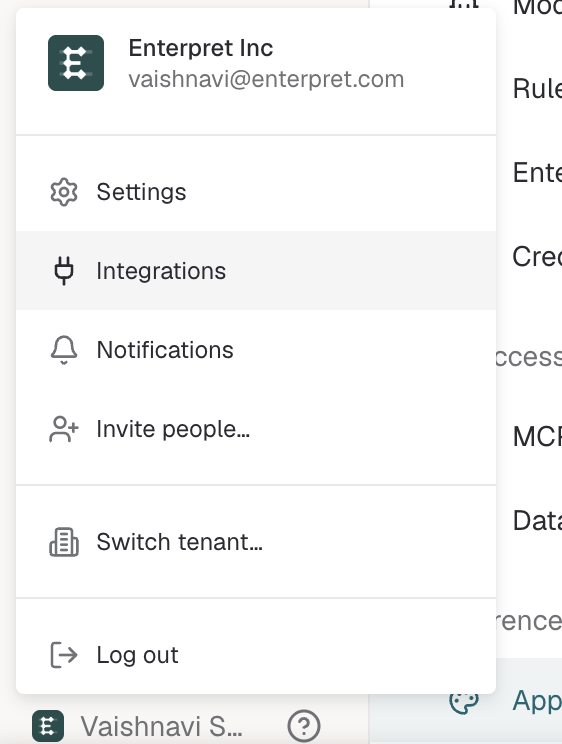
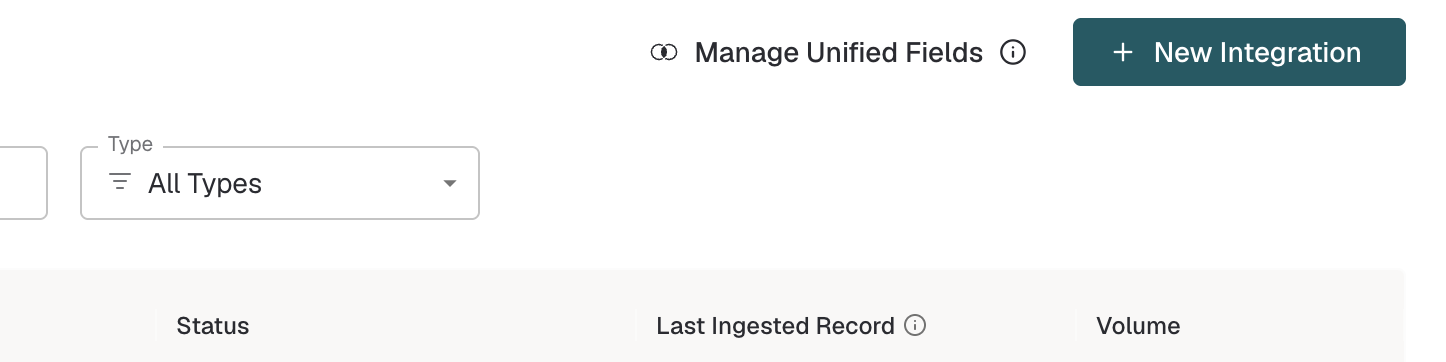
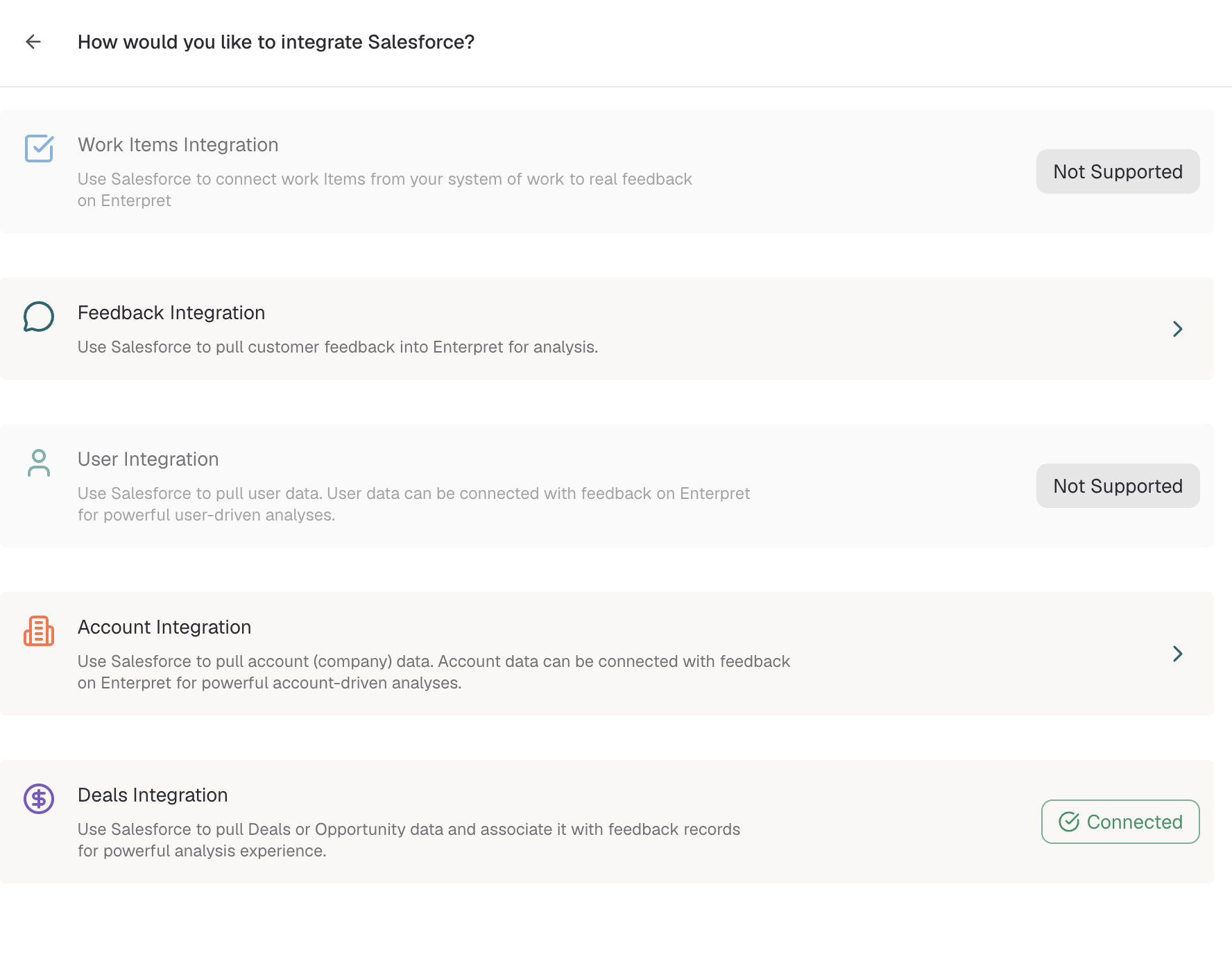
After the first sync, open a sample deal and confirm that its CRM fields are populated. Connect your conversation or feedback sources separately, then link them to deals using the shared Deal ID or Opportunity ID.
For CRM-specific screenshots, linking instructions, and analysis guidance, see Set up Deals and Sales Intelligence.
Deal integration availability may depend on your Enterpret workspace. Contact Enterpret Support if you do not see the Deals integration option.
Analyze deals
Start with Enterpret Agent for questions such as:
Why are we losing enterprise deals?
Which product gaps are affecting the most revenue?
What competitors appear most often in lost deals?
How do win and loss reasons differ by segment?
Use Agent Automations when you need the same analysis delivered regularly.
Write deal insights back to your CRM
Writeback sends supported Enterpret insights to a CRM field. It does not import or sync deal records into Enterpret.
Set up HubSpot Deals Writeback
Recommended setup order
Connect one supported Deals source.
Map the required deal fields.
Connect the conversation or feedback sources you want to analyze.
Link feedback to deals using a shared Deal or Opportunity ID.
Confirm that the expected deals and linked feedback appear in Enterpret.
Use Enterpret Agent for one-time analysis or an Agent Automation for recurring reporting.
Configure writeback separately if you want insights returned to your CRM.
Deal integration and writeback are different
Workflow | Direction | Purpose |
|---|---|---|
Deals integration | CRM → Enterpret | Sync deal records and CRM context for analysis |
Feedback integration | Source → Enterpret | Import conversations, calls, notes, or other feedback |
Deals writeback | Enterpret → CRM | Add supported Enterpret insights to CRM properties |