
Adding Teammates
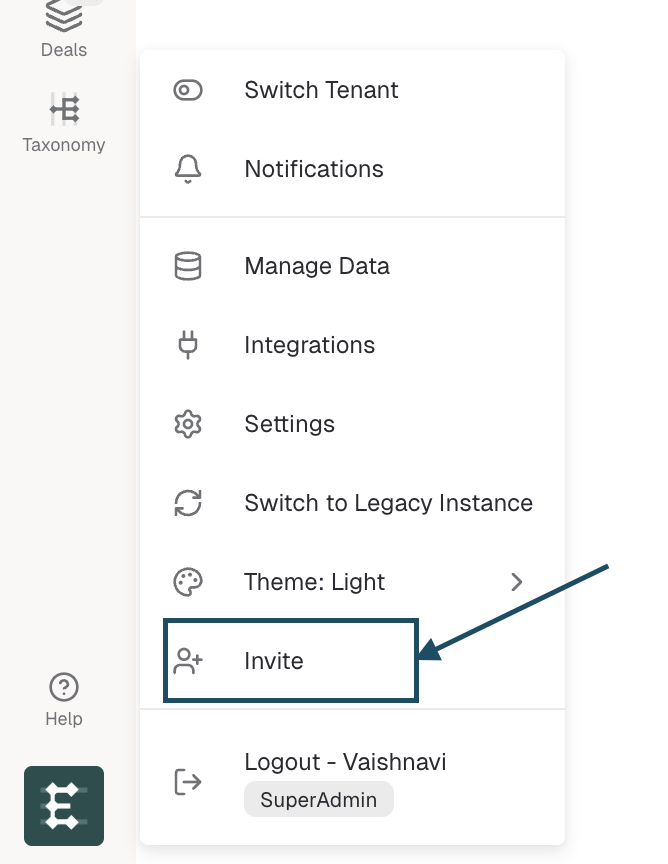
To invite team-mates, you should have access to your Enterpret dashboard. Once you are logged-in, open the menu clicking on the logo and select the 'Invite' option:
Email Address
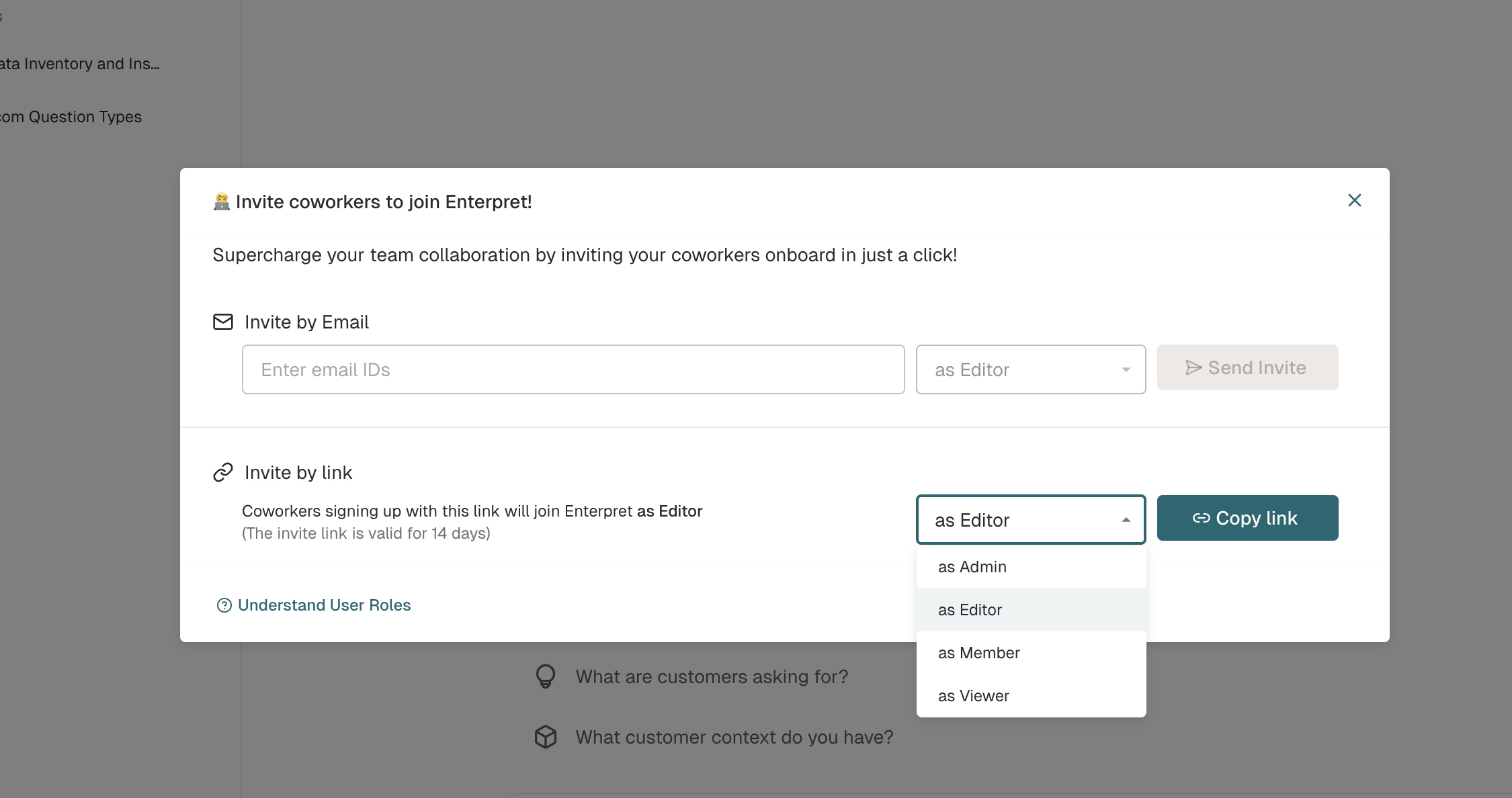
You can enter your team-mates email address and they will receive an invite in their email inbox. Be sure to add your team-mate's official email as they require the same domain name to access the company data.
Invite Link
You can use the URL present in the box and send that to your team-mates. Once they click on the link, they will have to register using their official email address.
What role do new teammates get?
When you send an invite, the new user is assigned the organisation's default role. Workspace Admins can change this default at any time under Settings → Users & Permissions → Default user role.
During the invite itself you can also select a specific role for the invitee — the options available depend on your own role:
Admins can invite teammates as Admin, Editor, Member, or Viewer
Editors and Members can invite as Editor, Member, or Viewer (cannot invite Admins)
Viewers can only invite as Viewer
For the full breakdown of what each role can do across Enterpret, see What is User Management in Enterpret?.