
Dynamic Taxonomy for Themes and Sub-Themes
In this article
In this article group
Overview
Dynamic Taxonomy (DT) is an automated system in Enterpret that continuously improves your feedback taxonomy. It graduates feedback out of Miscellaneous buckets into specific, actionable themes and sub-themes by identifying patterns in uncategorised feedback and creating new theme/sub-theme nodes on its own.
This is the first step toward a self-improving taxonomy - one that evolves as net-new customer feedback arrives, rather than drifting stale between manual interventions.
What you get?
Better coverage, less Misc: emerging topics are captured as they appear, instead of sitting in the Miscellaneous bucket.
Less manual taxonomy curation: fewer edit requests and upkeep cycles for your team.
Always up-to-date structure: your taxonomy reflects the latest shape of incoming feedback without you having to intervene.
How it works?
DT runs automatically every Saturday for every active tenant. No manual trigger is required.
During each run, DT analyses recent uncategorised feedback, identifies recurring patterns, and adds new theme and sub-theme nodes to your taxonomy where appropriate.
Feedback that matches the newly created nodes is then re-categorised out of Miscellaneous.
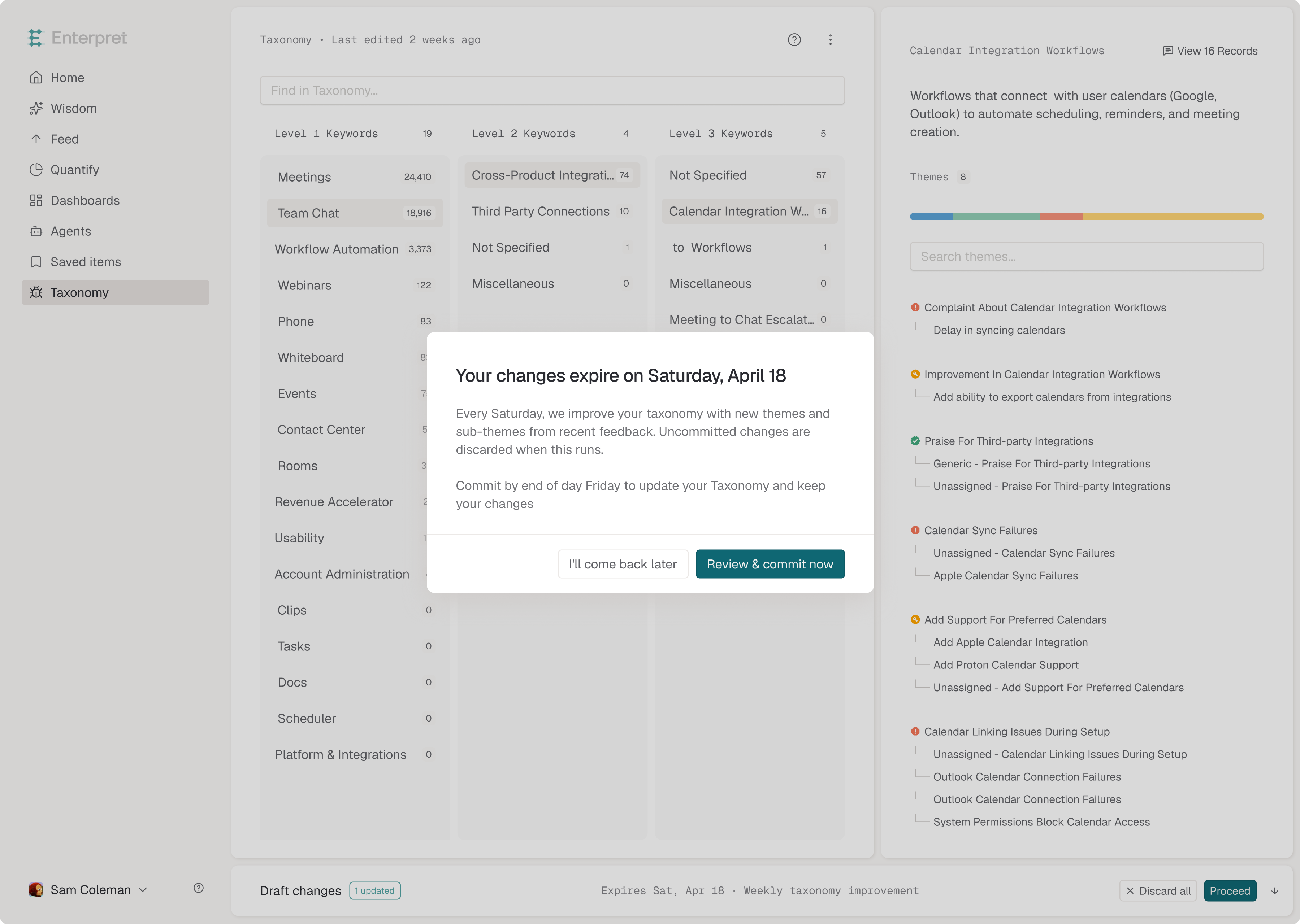
Important: taxonomy edit drafts
Uncommitted taxonomy edit drafts are discarded at every DT run (every Saturday).
Because DT mutates the taxonomy on Saturday, any uncommitted drafts would conflict with the new structure, so they are cleared automatically at the start of the run.
What this means for you:
If you have an in-progress taxonomy edit draft, commit it before Saturday to make sure your changes are preserved.
You will see a heads-up banner inside the taxonomy editor reminding you to commit any open draft before the next DT run.
If a draft is discarded, the edits are not recoverable. You will need to recreate them on top of the updated taxonomy.
Frequently asked questions
Do I need to turn Dynamic Taxonomy on?
No. DT runs automatically for all active tenants — there is nothing to enable.
Can I still edit the taxonomy manually?
Yes. Manual edits continue to work as before. Just remember to commit your draft before Saturday so it is not discarded at the next DT run.
How often does DT run?
Once a week, every Saturday.
Will DT remove themes or sub-themes I have created?
No. DT focuses on graduating feedback out of Miscellaneous by adding new nodes. It does not delete themes or sub-themes you have set up.
Where can I see what DT added in the last run?
To review recent Dynamic Taxonomy changes, contact your Enterpret team. We can share a summary of the themes and sub-themes created in your most recent run, along with how much feedback moved out of Misc.
If you have questions or notice anything unexpected after a Dynamic Taxonomy run, please reach out to us at support@enterpret.com or use the chat widget on enterpret.com.
Use this context in Enterpret Agent reporting
Ask Enterpret Agent to use the relevant fields, customer attributes, or taxonomy conditions available in your workspace, with an explicit source scope and reporting period. For a daily report, weekly digest, or recurring summary, configure scheduled Agent automations with the same brief and verify the actual scope and output. Use connectors separately when a task needs external context or supported actions; data configuration here does not grant connector access.