
Instagram Comments Integration
In this article
In this article group
- Amazon Connect
- Apple App Store
- Census Integration
- Connect Plain to Enterpret
- Decagon Integration
- Discord
- Discourse Integration
- Email Integration
- Facebook Pages Integration
- Fathom Integration
- File Upload: CSV data on Enterpret
- Freshchat
- Freshdesk
- Front
- G2
- Gainsight Communities Integration
- GitHub Issues Integration
- Gong Integration
- Google My Business Integration
- Google Play Store
- Grain
- Granola Integration
- Import HubSpot feedback
- Intercom
- Kustomer
- Livechat Integration
- SurveyMonkey
- Pylon integration
- Qualtrics
- Refiner Integration
- Salesforce
- SFTP Integration
- Slack feedback ingestion: setup and troubleshooting
- Snowflake
- Sprig Integration
- Stella Connect
- TikTok Integration
- Trustpilot Integration
- Typeform
- X (formerly Twitter) Integration
- Connect YouTube videos and comments
- Zendesk Chat
- Zendesk Support
- Import Zoho Desk support tickets
- Zoom Integration
- Zapier Integration
- Reddit Search (UGC)
- Wispr Flow integration
The Enterpret integration with Instagram comments allows customers to analyze comments on their Instagram posts directly inside Enterpret. This integration helps marketing, product, and voice of customer teams incorporate Instagram feedback alongside other channels for a complete view of customer sentiment.
Overview
Instagram has become a critical channel for companies looking to engage customers in product launches, support, and community-building. The Instagram integration allows you to:
Import eligible comments from your brand’s Instagram posts. Confirm coverage for ad-only or promoted content with your Enterpret team.
Analyze sentiment and trends in Instagram feedback
Unify insights from Instagram with other feedback channels
Track customer reactions across your social media presence
This guide covers the Facebook authorization flow for linked Instagram Business accounts. Your workspace may offer a different authorization flow; follow the prompts shown and contact your Enterpret team if they differ. Fetching and processing depend on your connection’s settings.
Before You Begin
For the Facebook authorization flow described below, you'll need:
Instagram Business Account(s) - Personal accounts are not supported
Facebook Page - Your Instagram Business account must be connected to a Facebook Page
Admin access to both the Instagram account and connected Facebook Page
Linking Instagram Business Account to Facebook Page
If you use the Facebook authorization flow, connect the intended Instagram Business account to a Facebook Page using Meta’s current account settings. The following screenshots illustrate an older navigation sequence; follow the current controls and the linked official guide if labels differ.
Go to your Facebook Page
Click Settings in the left menu
Select Instagram from the left menu
Click Connect Account
Enter your Instagram login credentials
Follow the prompts to complete the connection
For detailed instructions, visit Facebook's official guide.
Setting Up the Integration
Here's how to set up the Instagram integration in Enterpret:
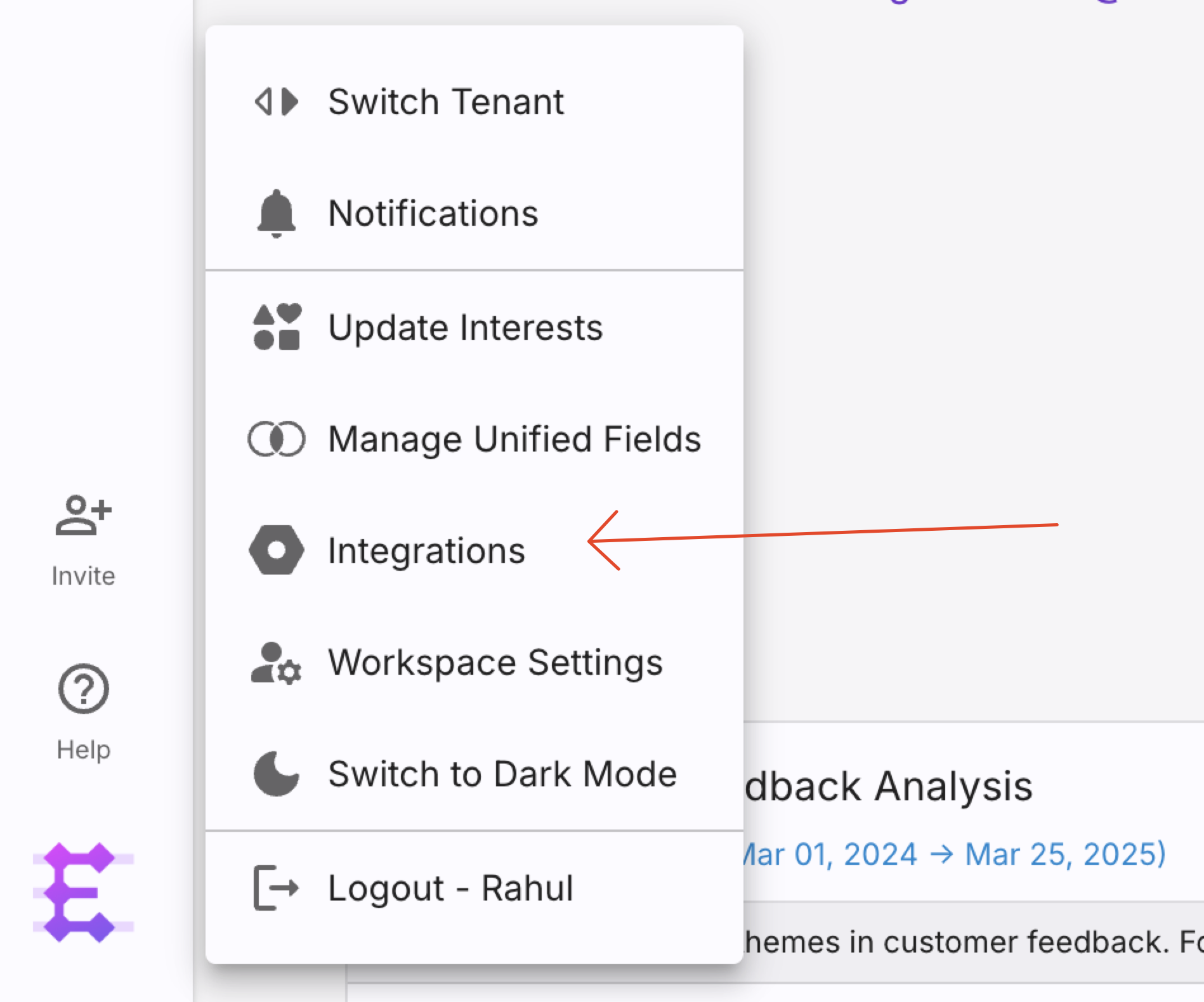
Navigate to Integrations by clicking on your organization logo in the bottom left, then selecting "Integrations"
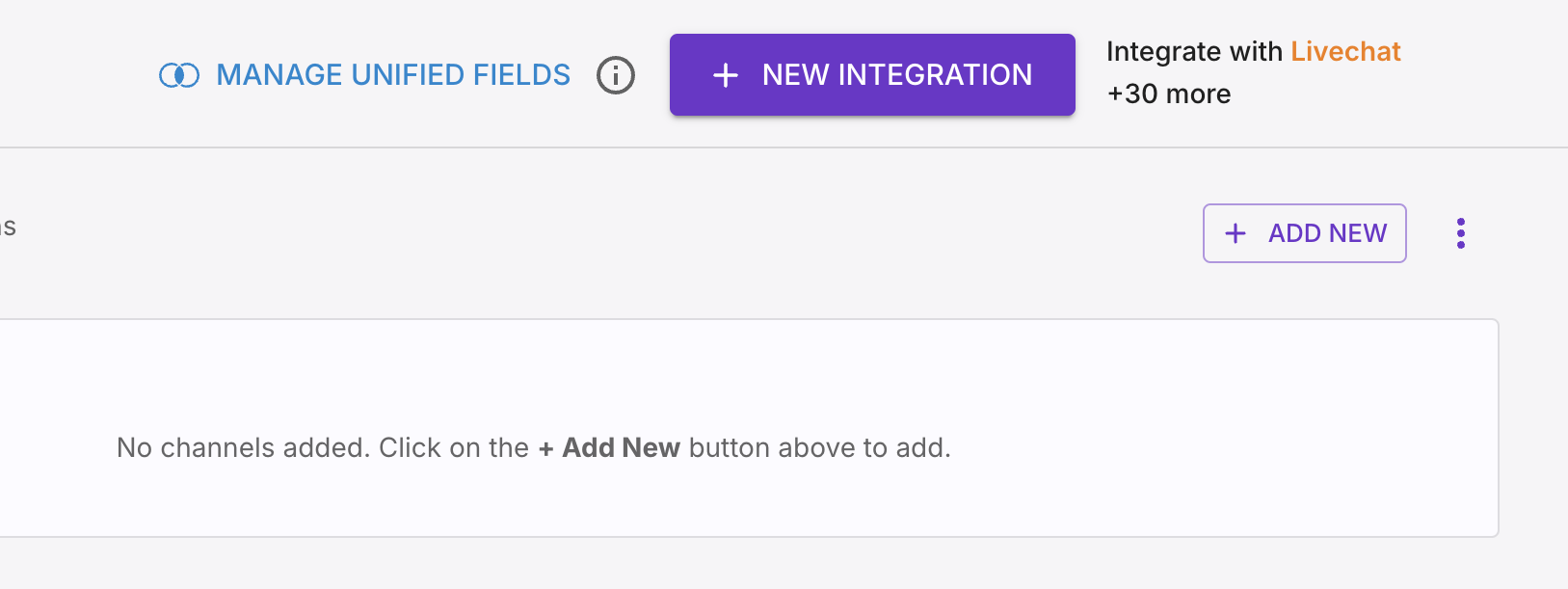
Click + New Integration at the top of the page
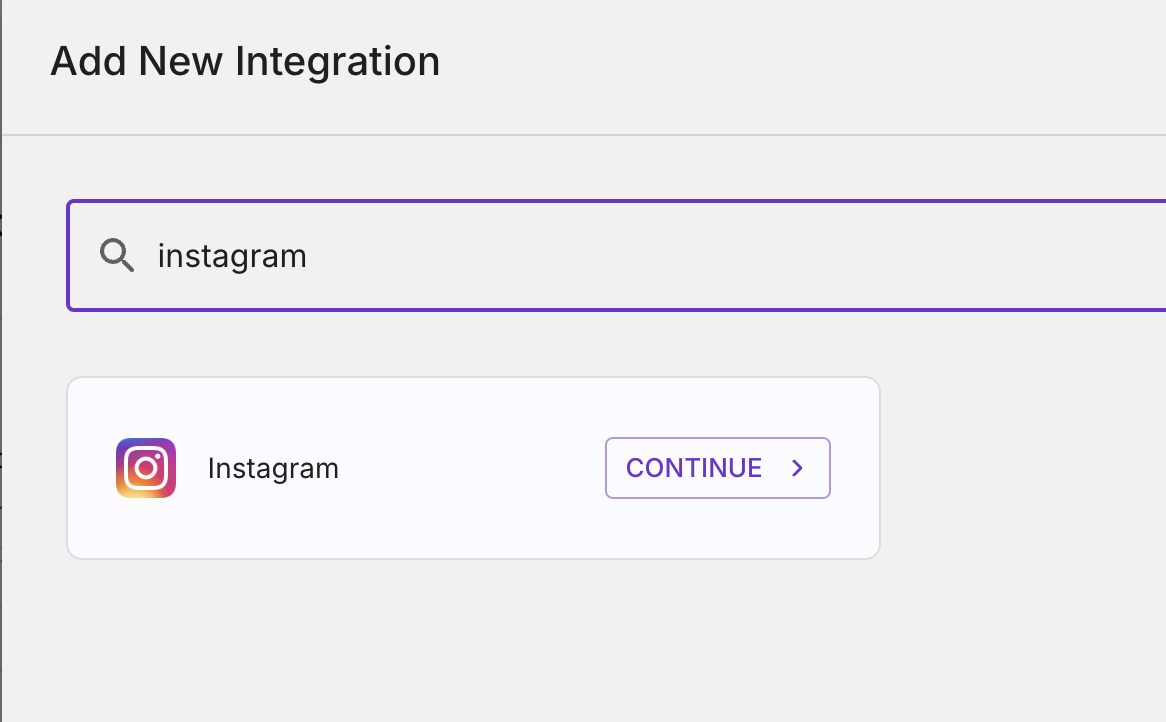
Find Instagram in the available sources and use the connection action shown to proceed.
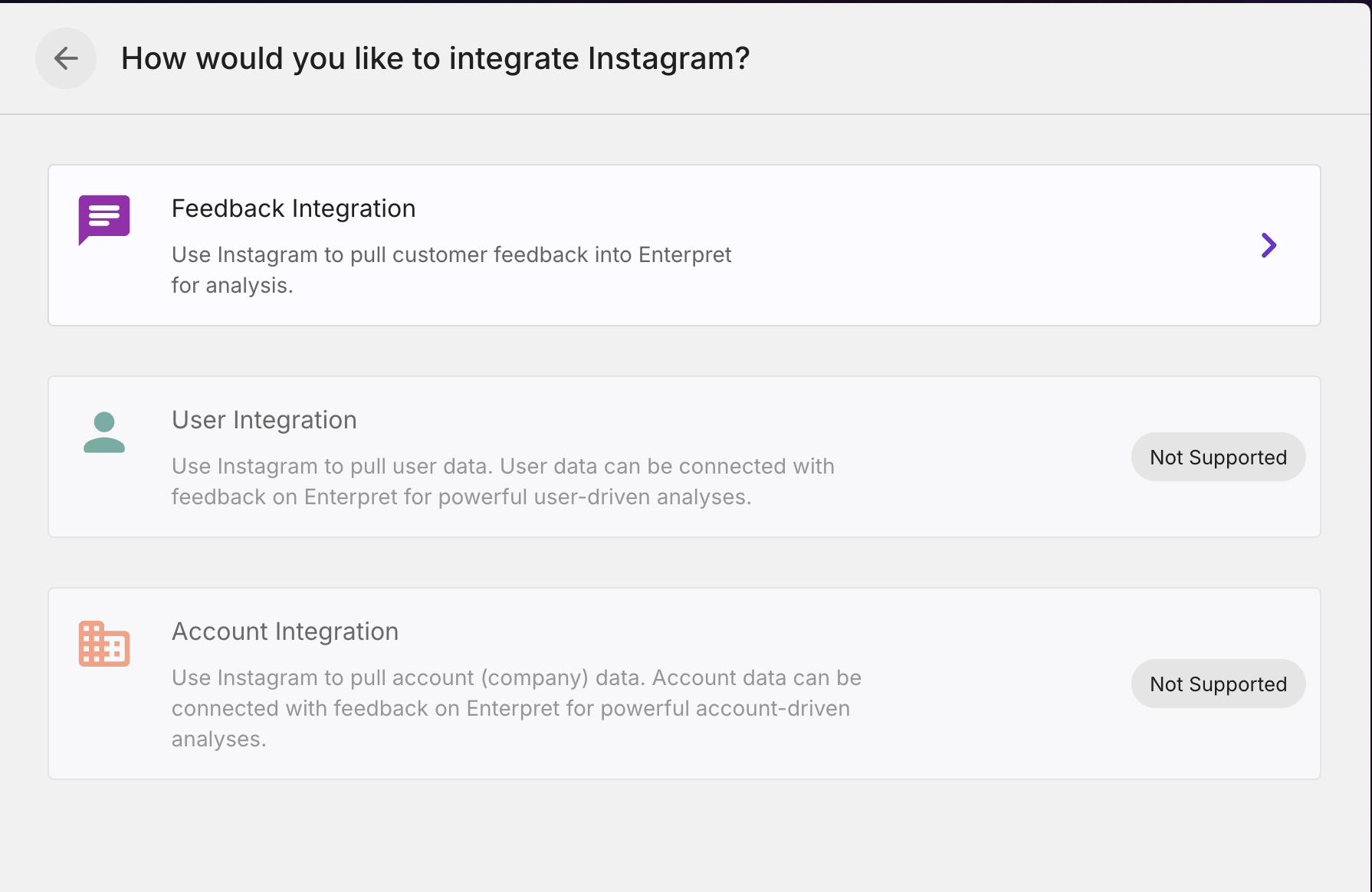
Select Feedback Integration
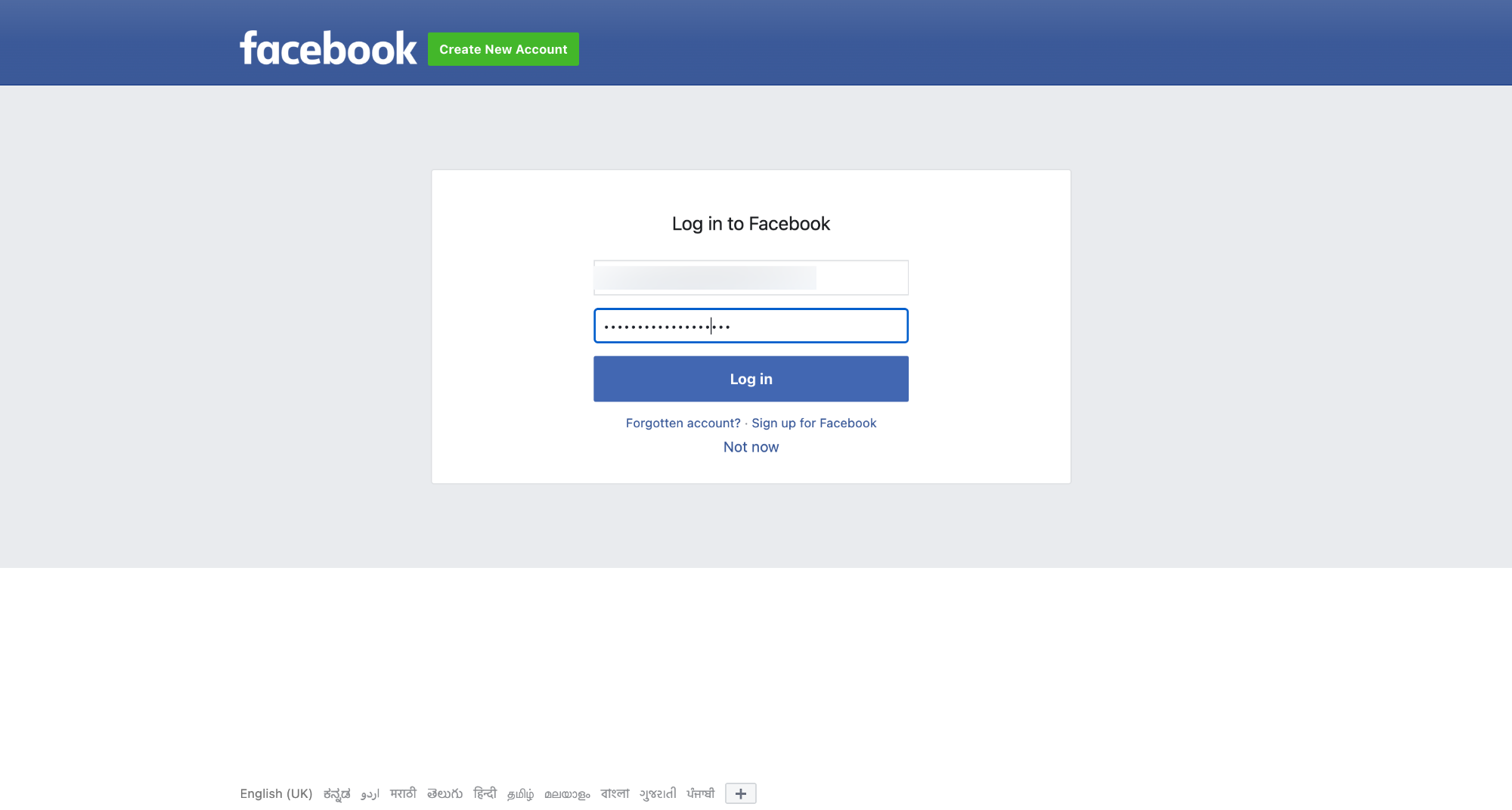
You'll be prompted to log in to Facebook - enter your credentials
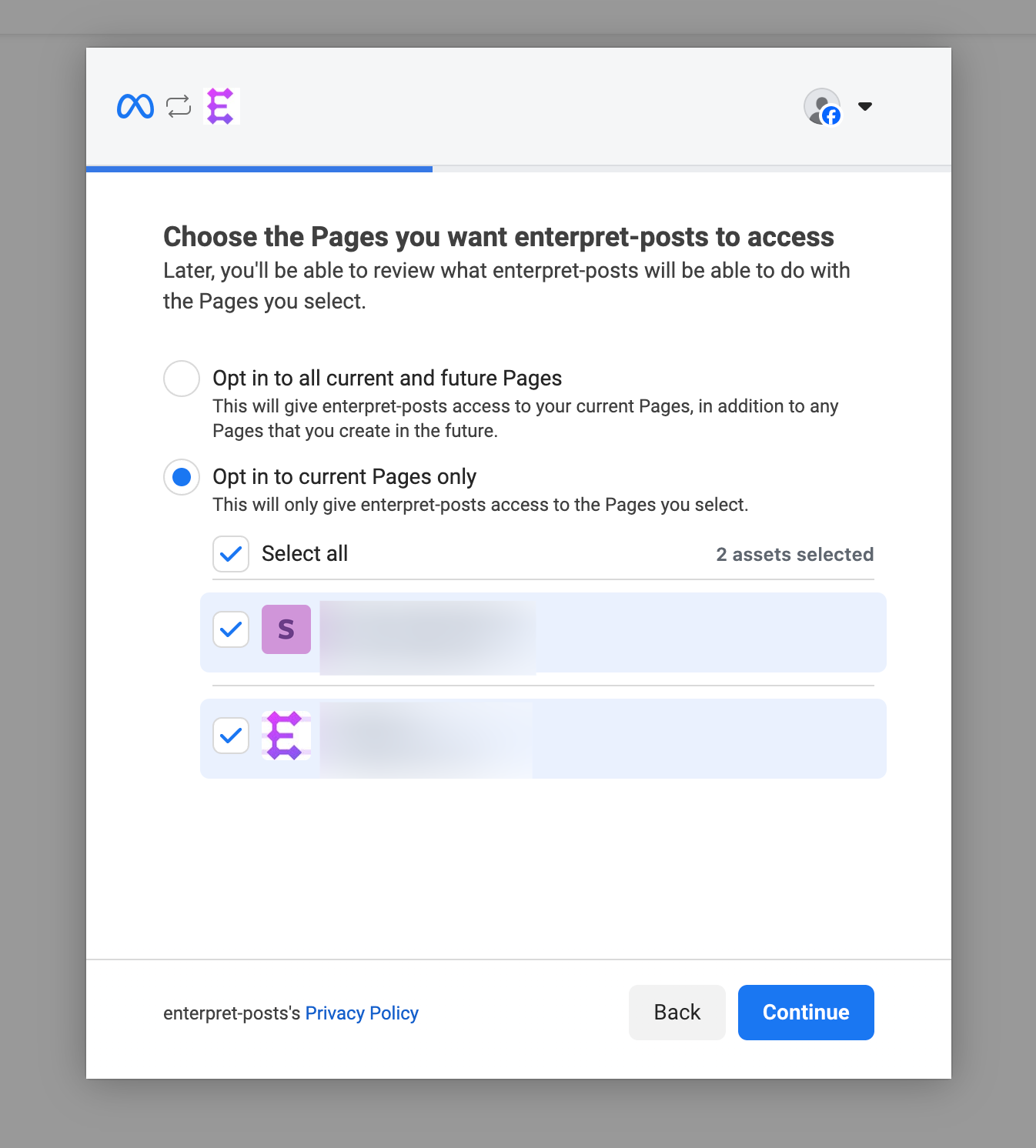
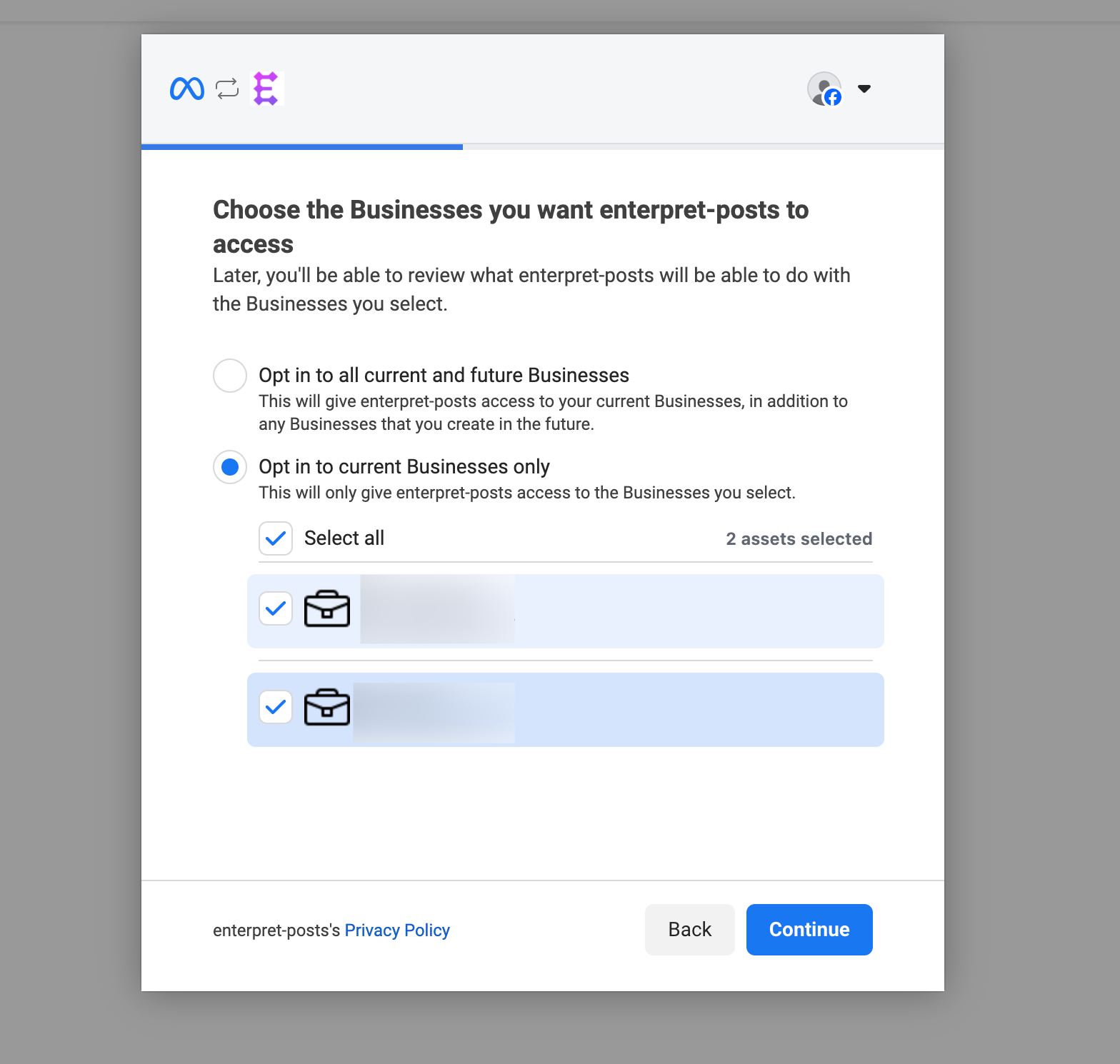
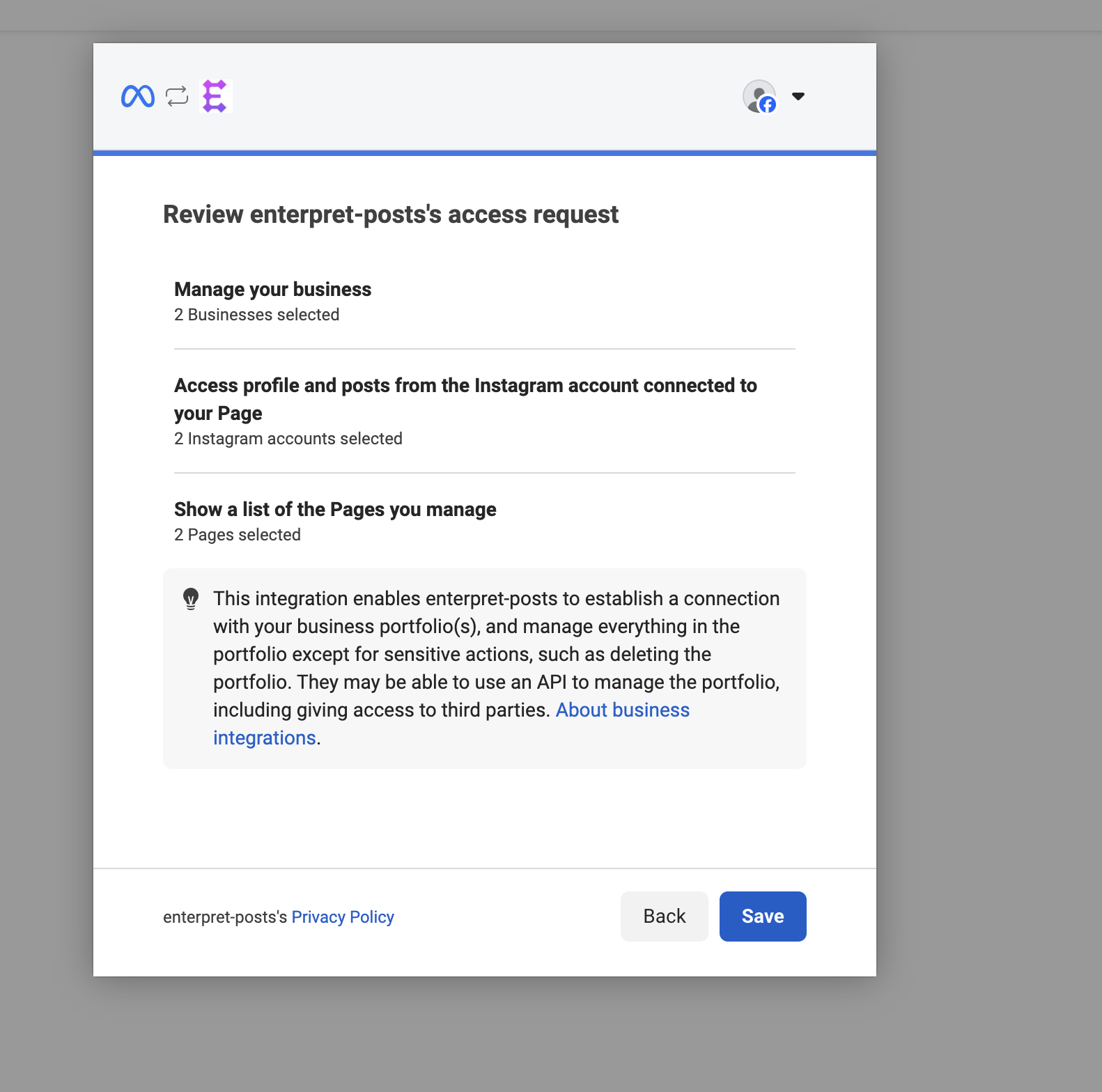
Select the Facebook Pages and businesses that have Instagram Business accounts connected
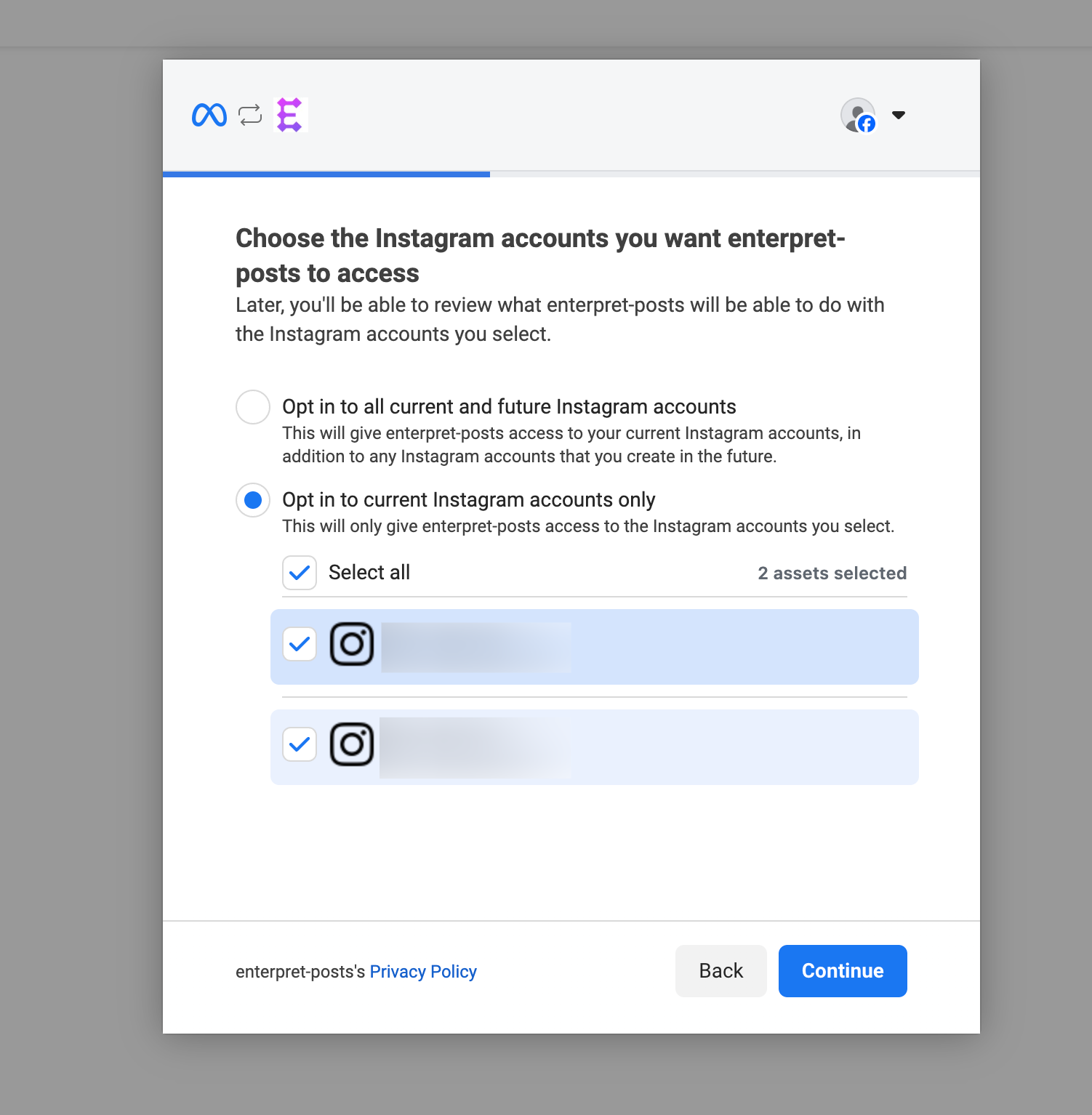
Select the Instagram Business accounts you want to integrate
Grant Enterpret permissions to access your Instagram accounts.
Click Save
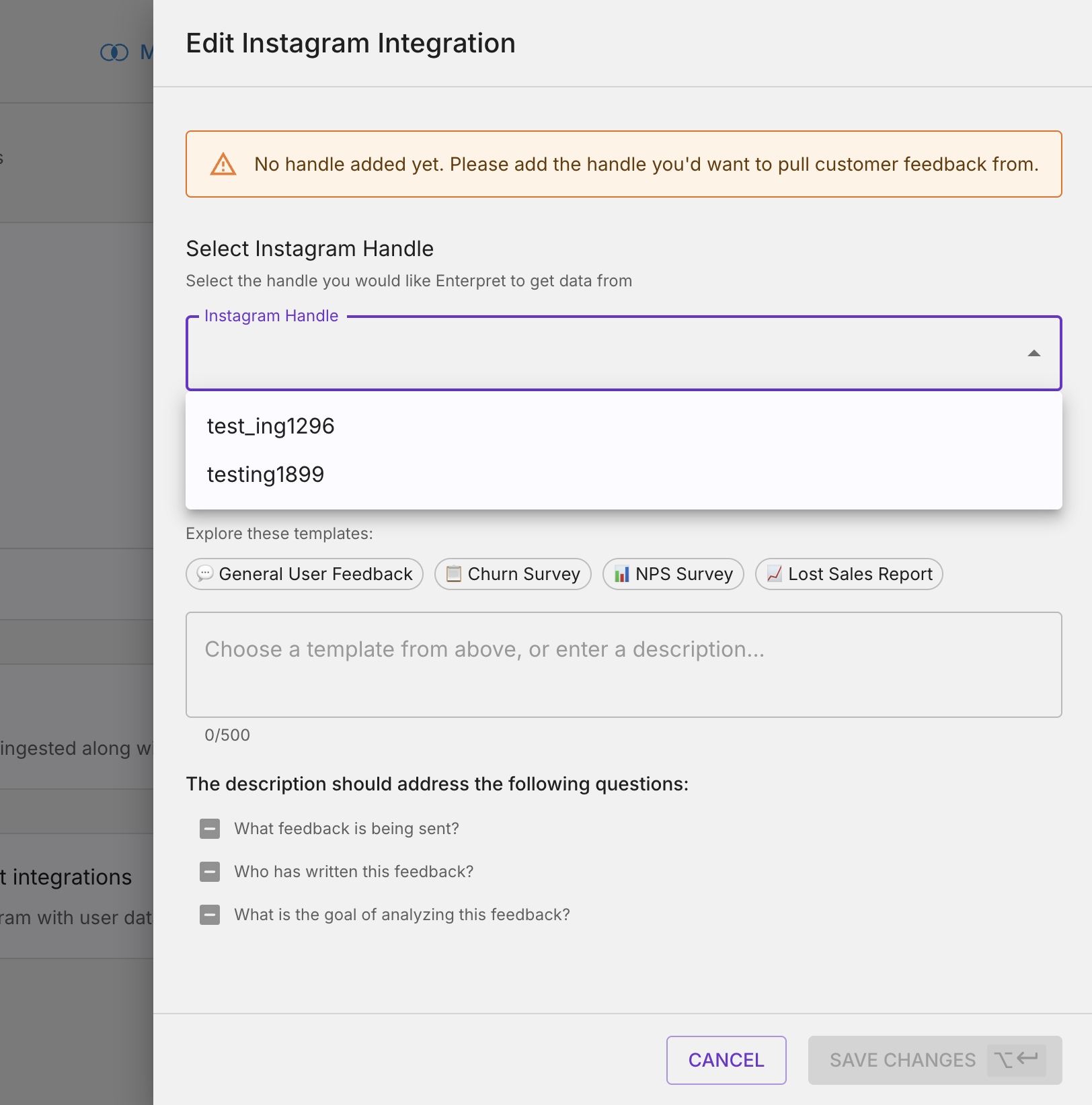
You'll be redirected to your Integrations page where you can add Instagram handles
Enter the Instagram handle and click Save Changes
Available Metadata
The Instagram integration captures several important metadata fields as shown below:
Feedback Metadata
Created at- Timestamp showing when the comment was created (e.g., 2025-03-24T07:16:07+0000)External link- Direct link to the specific Instagram postId- Unique identifier for the commentParent Comment - created at- Timestamp when the parent comment was createdParent Comment - id- Unique identifier for the parent commentParent Comment - text- Content of the parent commentParent Comment - type- Type of the parent content (e.g., COMMENT)Parent Media - id- Unique identifier for the media (post)Parent Media - media link- Direct link to the Instagram postParent Media - text- Caption of the Instagram postParent Media - type- Type of content (e.g., FEED)Parent Media Created - at- Timestamp when the post was createdParent Media Created - by- Username of the account that created the postType- Type of the content (e.g., COMMENT)
This comprehensive metadata allows you to filter and analyze Instagram feedback in multiple dimensions, such as by post type, creation date, or specific media content.
Interesting Reports You Can Create
The Instagram integration enables you to create insightful reports that drive marketing strategy and product improvements. Here are some valuable dashboards you can build:
Product Launch Sentiment Analysis: Track how customers respond to your product launches on Instagram, identifying potential issues to address or positive reactions to amplify in your marketing.
Cross-Channel Social Media Comparison : Compare how customer feedback differs between Instagram and other social channels like Twitter, Facebook, and Reddit to tailor your messaging strategy by platform.
Instagram Campaign Performance : Understand qualitative reactions to specific marketing campaigns beyond standard engagement metrics, identifying shifts in sentiment that may require attention.
Pre-Purchase Questions Analysis: Identify common questions potential customers ask in Instagram comments before making a purchase decision, helping improve product messaging and FAQs.
Competitor Mention Tracking: Monitor how customers mention competitors in your Instagram comments to understand competitive positioning and feature comparisons.
Feature Request Monitoring: Track feature requests and product improvement suggestions coming directly from Instagram comments to prioritize your roadmap based on customer feedback.
Influencer Collaboration Impact: Measure the qualitative impact of influencer partnerships beyond simple engagement metrics to optimize your influencer strategy.
Customer Support Issue Detection: Identify support issues that arise in Instagram comments to address problems proactively before they escalate.
Current Limitations
Please be aware of the following limitations:
Data freshness: Fetching and processing depend on your connection’s configured schedule and integration version. A one-month re-read window in the importer is not a monthly refresh schedule. Ask your Enterpret team to confirm your connection’s cadence.
Historical data: The initial import follows the configured history window and source availability. Confirm the intended date range with your Enterpret team.
Visual Content: Images and videos from posts are not ingested, only text and metadata
Emojis: Emoji characters can be retained as part of imported comment text. Interpret automated sentiment in the context of the full conversation.
Troubleshooting
If you encounter issues with your Instagram integration:
Verify your Instagram account is a Business account
Ensure your Instagram account is correctly linked to your Facebook Page
Check that you have Admin access to both accounts
Confirm you've selected the correct Instagram handles to monitor
For additional assistance, please contact the Enterpret support team.