
Discourse Integration
In this article
In this article group
- Amazon Connect
- Apple App Store
- Census Integration
- Connect Plain to Enterpret
- Decagon Integration
- Discord
- Email Integration
- Facebook Pages Integration
- Fathom Integration
- File Upload: CSV data on Enterpret
- Freshchat
- Freshdesk
- Front
- G2
- Gainsight Communities Integration
- GitHub Issues Integration
- Gong Integration
- Google My Business Integration
- Google Play Store
- Grain
- Granola Integration
- Import HubSpot feedback
- Instagram Comments Integration
- Intercom
- Kustomer
- Livechat Integration
- Momentive (Formerly Survey Monkey)
- Pylon integration
- Qualtrics
- Refiner Integration
- Salesforce
- SFTP Integration
- Slack feedback ingestion: setup and troubleshooting
- Snowflake
- Sprig Integration
- Stella Connect
- TikTok Integration
- Trustpilot Integration
- Typeform
- X (formerly Twitter) Integration
- Connect YouTube videos and comments
- Zendesk Chat
- Zendesk Support
- Import Zoho Desk support tickets
- Zoom Integration
- Zapier Integration
- Reddit Search (UGC)
- Wispr Flow integration
Discourse is where your community comes together, sharing insights, feedback, and discussions.
This valuable information often remains untapped. Enterpret's integration with Discourse illuminates these insights, offering a comprehensive understanding of your community's thoughts on your product, its features, and more.
With Enterpret's Discourse integration, you can specify and ingest specific Discourse Categories, aligning them with your feedback taxonomy.
Note
Enterpret's integration with Discourse focuses on specific categories, ensuring that only the relevant community feedback is analyzed.
You can integrate multiple categories by repeating the steps for each category.
How to Connect Discourse with Enterpret
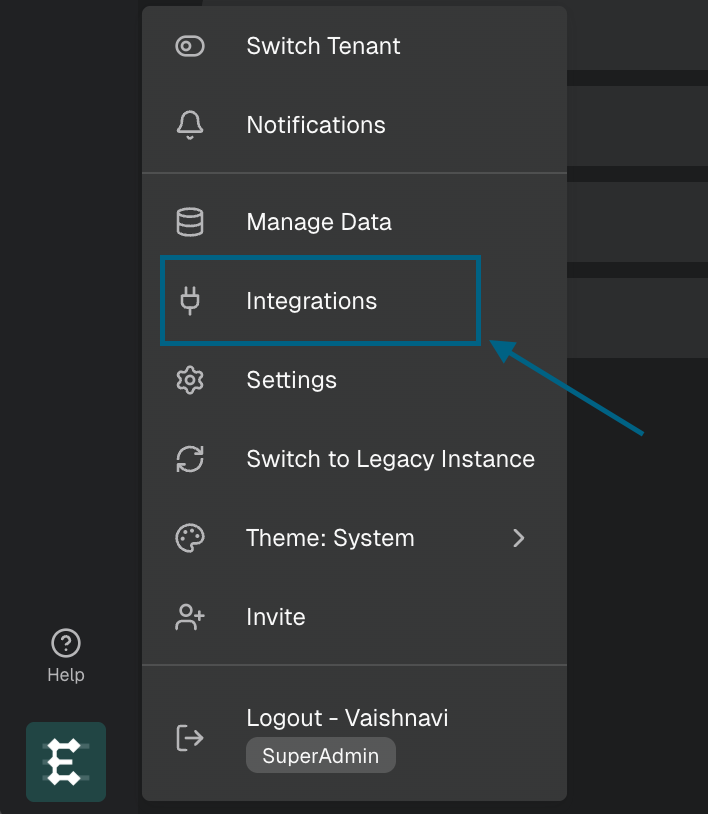
Click on your profile icon in the bottom left corner of the Enterpret sidebar to open menu options and select Integrations.
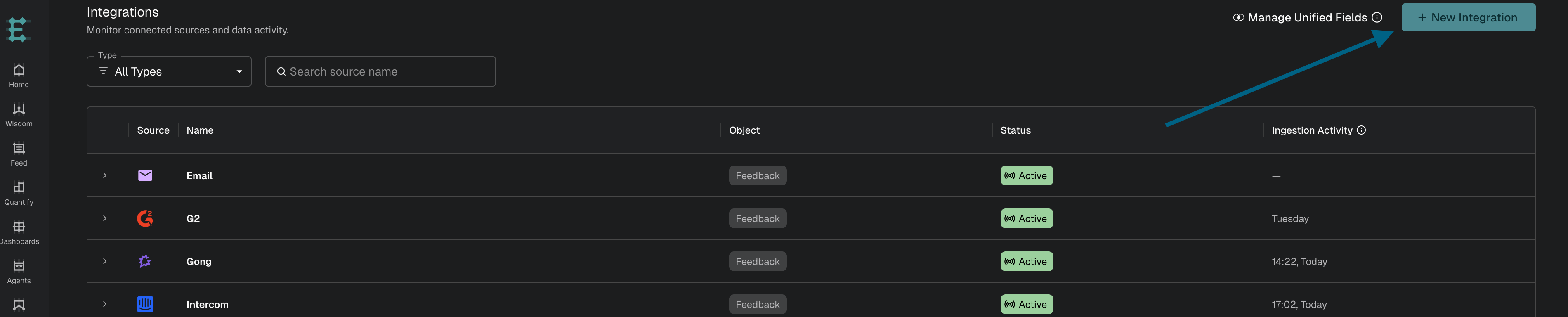
Click the "New Integration" button in the top right corner of the Integrations page.
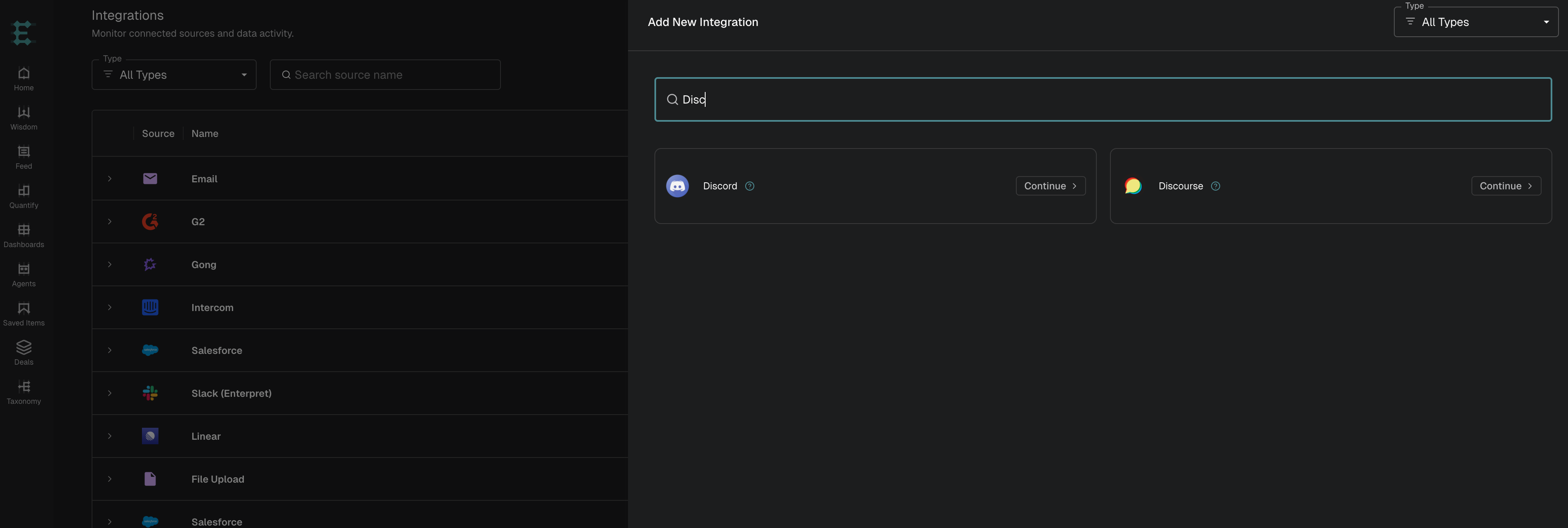
Select Discourse from the list of available integration sources.
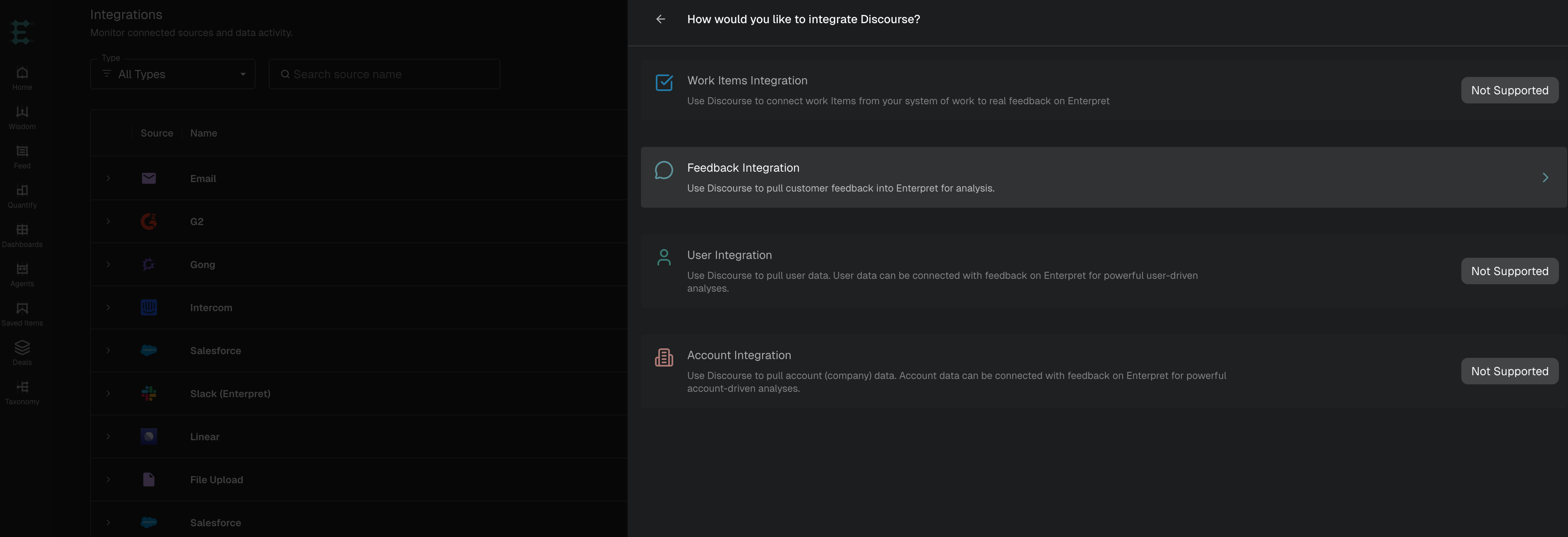
Select how you would like to integrate Discourse.
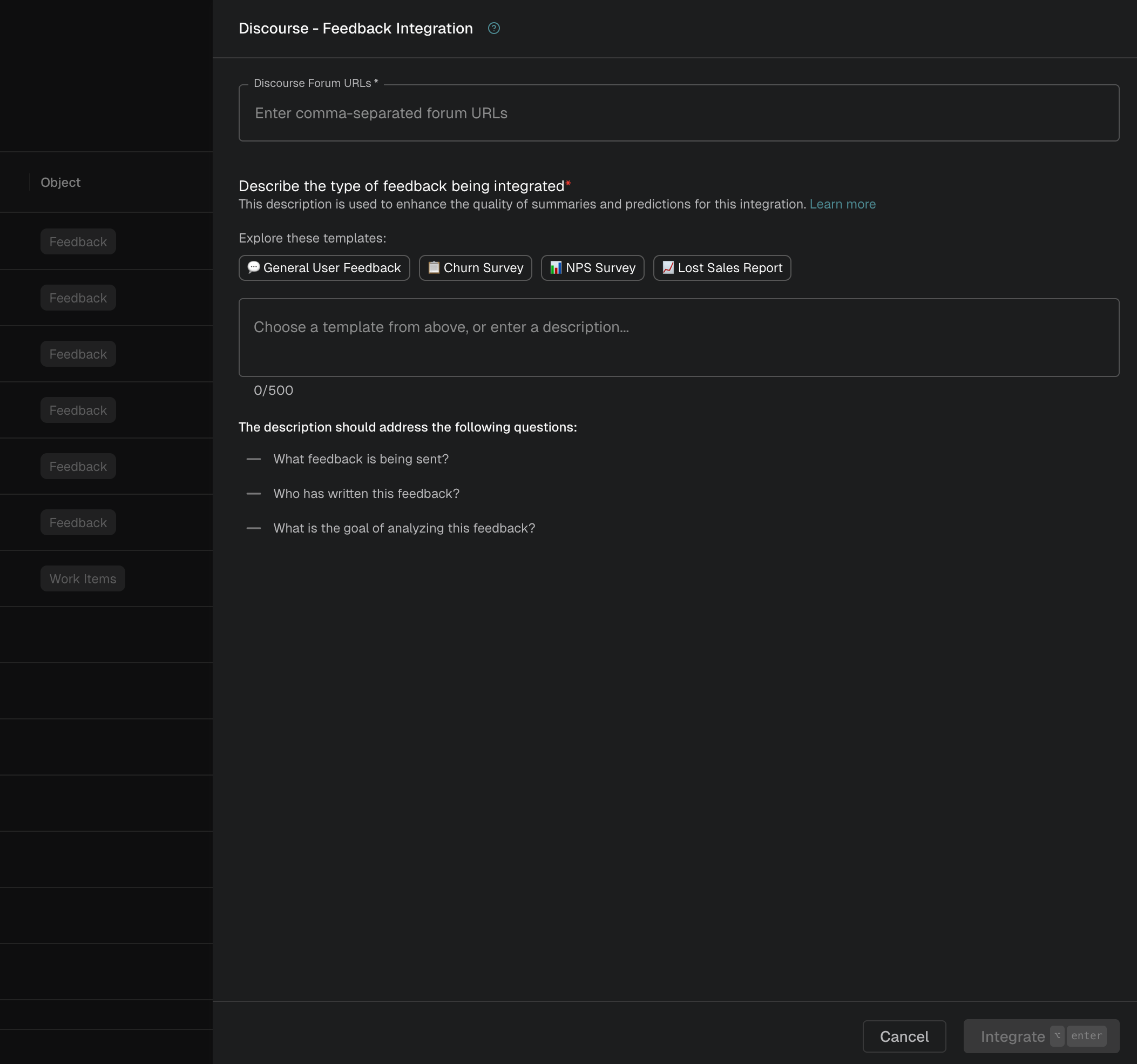
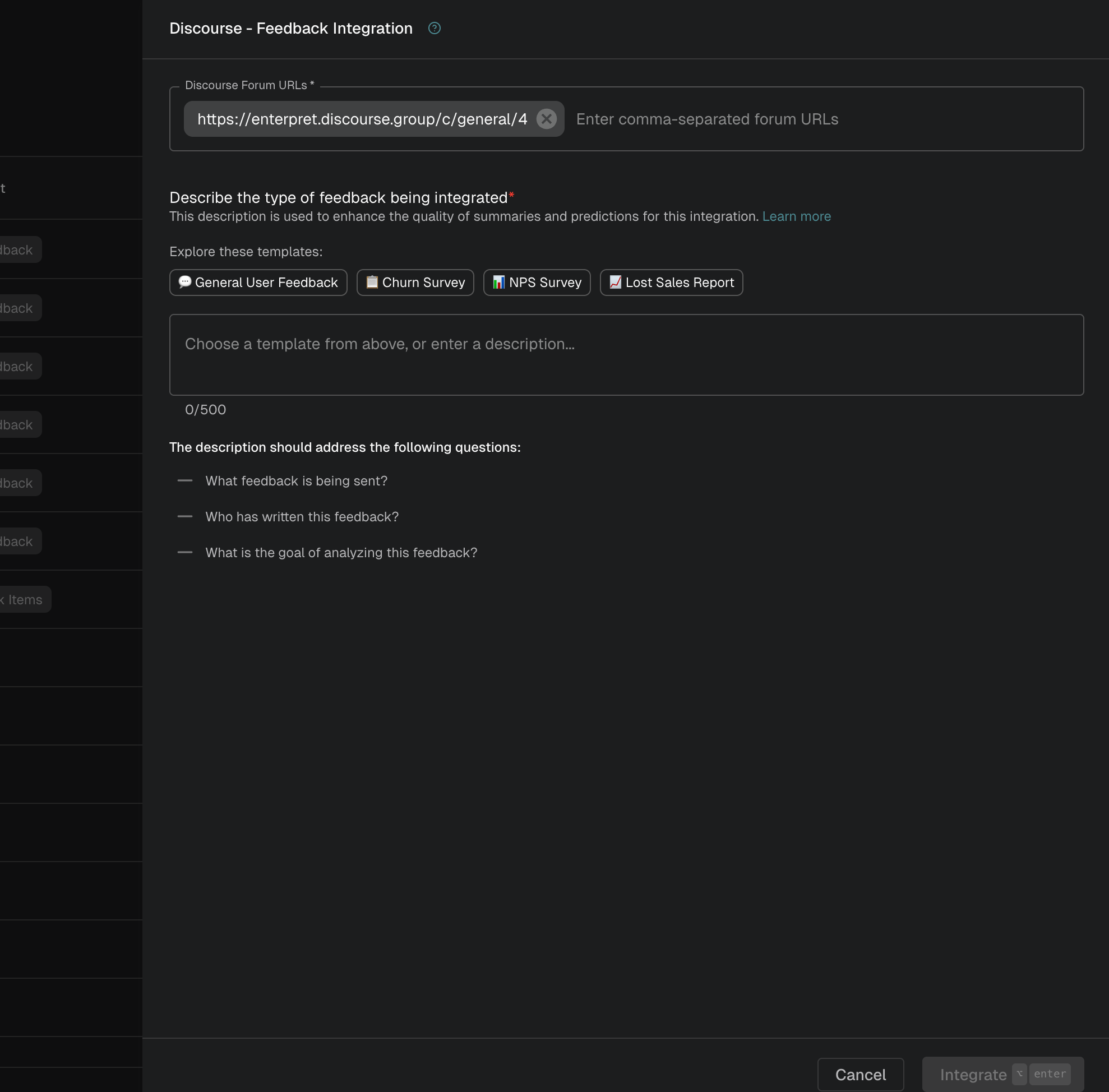
Paste the link to your Discourse forum into the Discourse setup form in Enterpret and press enter.
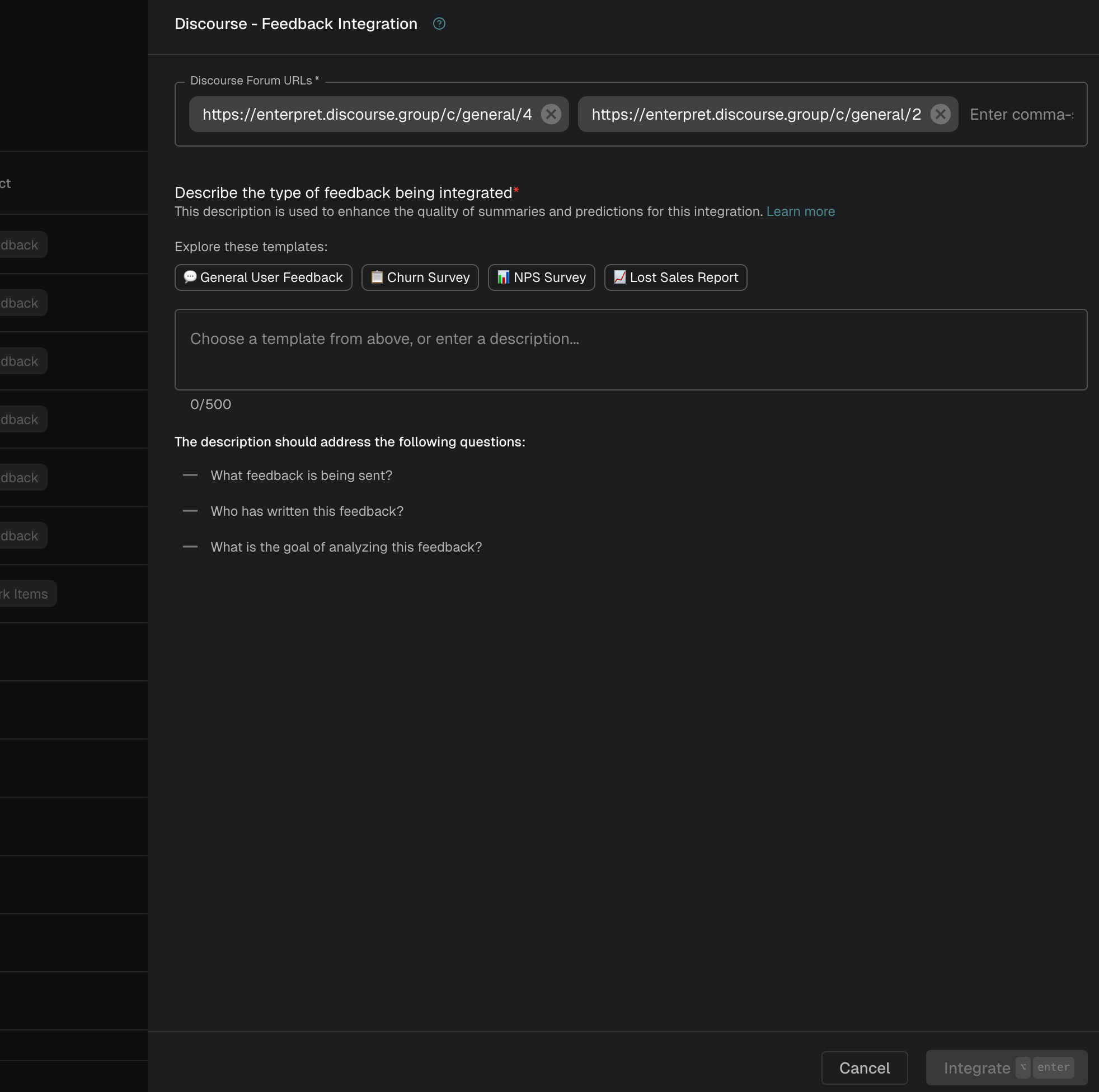
To add multiple categories, copy the link of each additional category and paste it into the form (one at a time, pressing enter after each).
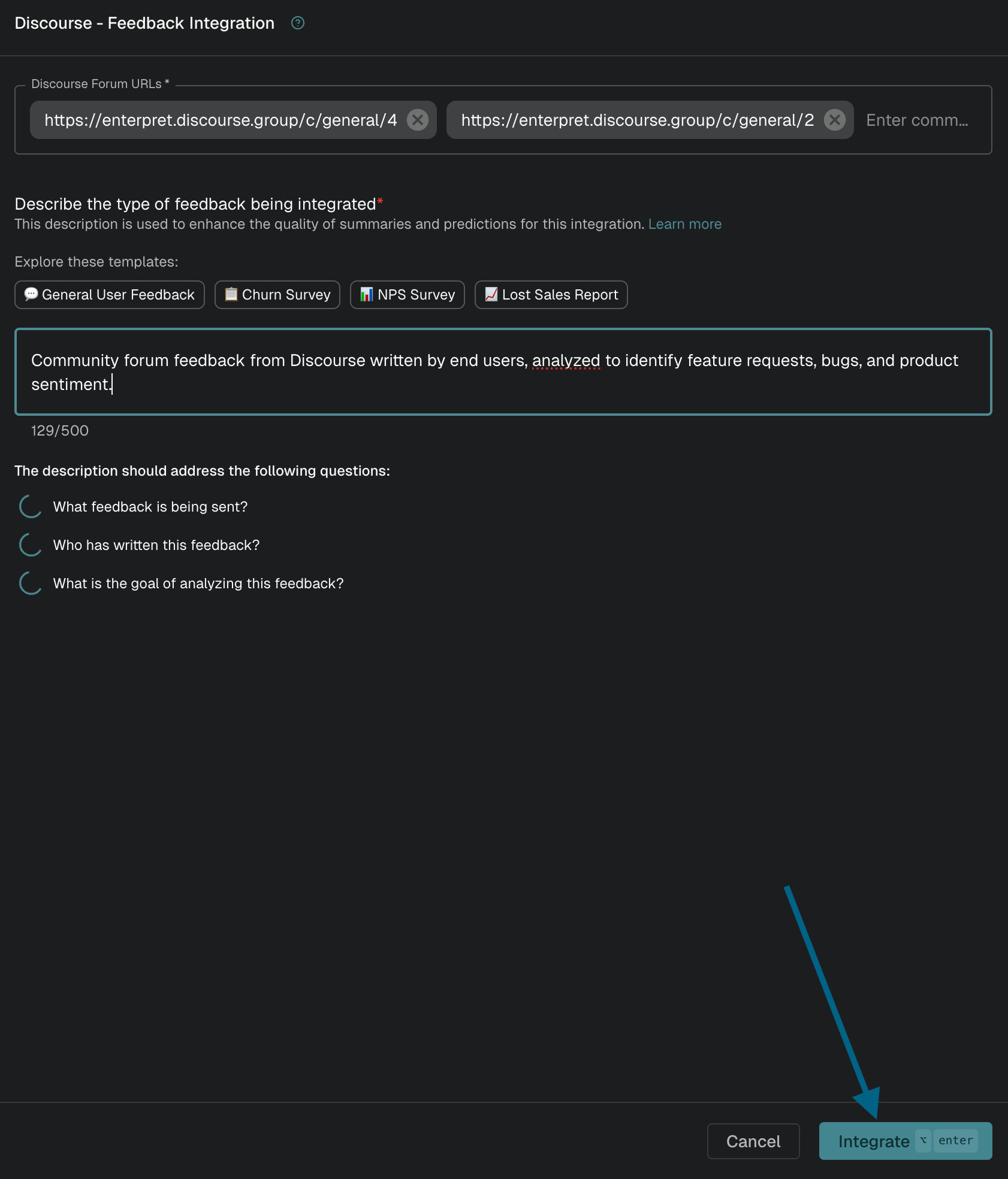
Select a template for the nature of feedback or write a description addressing the following questions:
What feedback is being sent?
Who has written this feedback?
What is the goal of analyzing this feedback?
Once you are done, click the "Integrate" button to complete the integration.
Once you have connected, we will start ingesting data from your Discourse community. Feel free to contact us at support@enterpret.com if you need any help with this integration.
Analyze this feedback with Enterpret Agent
Once this integration's feedback is available in Enterpret, use Enterpret Agent to investigate themes, summarize customer requests, and prepare reports. Specify this source and the reporting period in your request. For daily reports, weekly digests, and recurring reporting, configure scheduled Agent automations with Slack or email delivery.
This guide covers feedback ingestion. Agent connectors are a separate setup for reading external context or taking supported actions in other tools; connecting a feedback source does not automatically authorize those actions.