
Share files with Enterpret for a POC
Use Share files with Enterpret to securely send files to the Enterpret team for an agreed proof of concept (POC).
Access and authentication
The page is available to all authenticated users who have access to the selected Enterpret workspace. It is not restricted to a specific workspace role.
Open Share files with Enterpret and sign in with your existing Enterpret account. If you belong to more than one workspace, select the workspace for the POC.
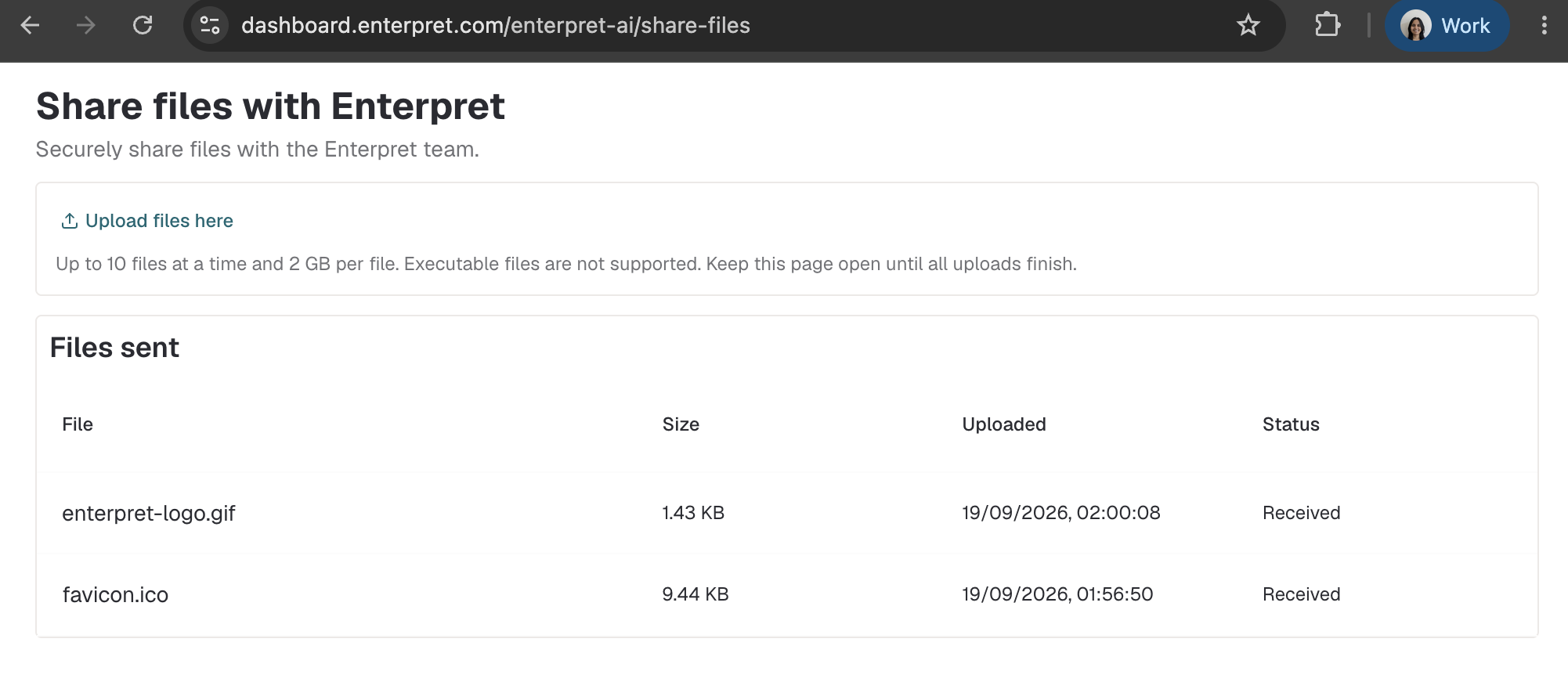
Before you upload
You can select up to 10 files at a time, and each file can be up to 2 GB. ZIP archives and other non-executable file types are supported.
The following executable file extensions are blocked:
.exe,.msi,.bat,.cmd, and.com.scr,.ps1, and.sh.appand.dmg
This upload flow validates file metadata, type, and size. Do not assume it inspects file contents for personally identifiable information (PII), protected health information (PHI), secrets, or malware. Upload only files requested by Enterpret that your organization is authorized to share. Do not include passwords, API keys, private keys, or other authentication credentials.
Upload your files
Select Upload files here.
Choose up to 10 files.
Keep the page open while the uploads finish.
If an upload fails, select Retry.
Confirm that each successfully uploaded file appears in Files sent with a Received status.
View previously uploaded files
The Files sent table shows the selected workspace’s upload history. Anyone signed in to that workspace can see the file details listed below.
For each file, the table shows:
Filename
File size
Upload date and time
Received status
Security and retention
Files are stored in private S3 storage with encryption at rest. Storage and file listings are separated by Enterpret workspace.
The storage lifecycle is configured to expire uploads after 180 days. Removal and disappearance from Files sent can occur later.